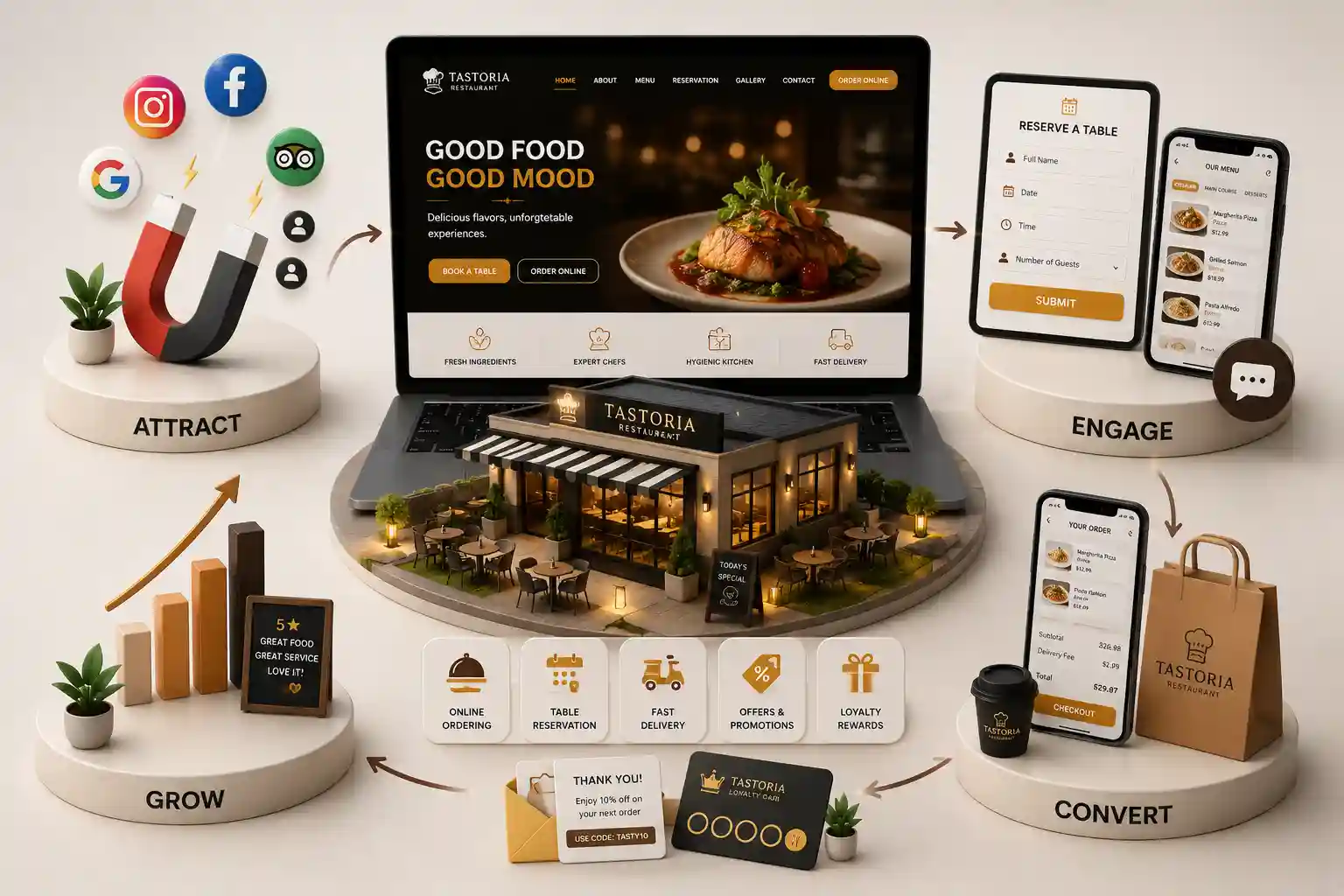
Best Restaurant Website Features for Utah Businesses
Prioritize the restaurant website features Utah guests use to find menus, order direct, reserve tables, plan events, and trust a local restaurant. This article sorts the features worth prioritizing in 2026, explains the operational decisions behind them, and shows how Salt Lake City restaurant teams can connect guest convenience with local discovery and measurable direct revenue.
Feature lists often turn into a wish list: online ordering, a reservation widget, a photo gallery, loyalty, gift cards, chat, a newsletter, and more. Utah restaurant teams then buy tools that overlap, slow the site, or create requests nobody owns. The useful question is not which feature looks modern. It is which feature helps a real guest complete a profitable next step without adding stress to the kitchen, host stand, or manager. Restaurant website features Utah guests expect vary by service model and occasion. A Downtown quick-service lunch spot needs fast menu and pickup clarity. A Sugar House dinner concept may depend on reservations and atmosphere. A Millcreek caterer needs qualified event leads; a Draper location may need family, office, and private-dining information. The website should fit those workflows.
This article sorts the features worth prioritizing in 2026, explains the operational decisions behind them, and shows how Salt Lake City restaurant teams can connect guest convenience with local discovery and measurable direct revenue.
It is for owners, operators, groups, and marketers choosing between a template refresh, new integrations, or a custom restaurant website.
Choose features by guest value, not a vendor checklist
Start with the actions that create revenue or remove a common service obstacle: reading a current menu, ordering pickup, reserving a table, getting directions, buying a gift card, or asking about an event. A feature earns its place when it shortens that journey and the team can keep it accurate. It does not earn a place because a competitor has a similar badge in its footer.
Before adding technology, document the full path. What does the guest see? What data is collected? Who receives the request? How quickly do they respond? What happens when the system fails or the restaurant is closed? This simple exercise exposes features that are really operational projects. It also prevents the common outcome where a beautiful website sends catering forms to an unattended inbox.
Feature one: a current, searchable menu and direct order path
The menu is usually the highest-intent page on a restaurant website. Present it as structured web content with readable categories, prices, descriptions, dietary context, and links to order where relevant. This gives guests a quick answer and makes routine editing possible. A menu PDF may still serve a niche need, but it is too hard to scan and maintain as the primary experience.
Online ordering needs more than a button. State pickup hours, preparation expectations, delivery availability, minimums, fees, and any item restrictions before checkout. Carry menu context into the flow instead of forcing guests to restart their search. If a third-party ordering system is part of the stack, test the handoff on mobile and make sure branding, confirmations, and support expectations remain clear.
Feature two: reservations, waitlists, and event inquiries with context
Full-service restaurants should make the reservation or waitlist path visible wherever a guest has enough information to decide: the home page, menu, location page, and event pages. Match the tool to the host team’s capacity rules. A booking widget that shows unavailable times or offers impossible party sizes does more damage than no widget because it undermines trust before the visit.
Private dining and catering are different buying journeys. Give each a focused page that explains capacity, occasion fit, lead time, service area, and a small set of qualification questions. Ask for date, party size, budget range when useful, and contact details; avoid collecting a long proposal brief on the first touch. Set an internal response expectation, because a timely human follow-up often matters more than a sophisticated form.
Feature fit by service type
Service model
Priority feature
Success measure
Counter service
Menu plus pickup ordering
Completed direct orders
Full service
Reservation or waitlist flow
Completed bookings and no-show rate
Catering
Qualified inquiry form
Accepted event leads
Private dining
Event page and consultation form
Response time and booked events
Feature three: location information that supports local discovery
A restaurant location page should make arrival easy. Include a full address, tap-to-call number, hours, map and directions links, parking or transit guidance, accessibility details, service format, and the correct action for that location. Those details matter when a Downtown visitor is fitting dinner around an event, a Sugar House guest is deciding whether to walk over, or a Draper group is checking whether a room fits its party.
Keep website facts aligned with Google Business Profile. Inaccurate holiday hours, a stale phone number, or an order link that goes to the wrong location can undo the benefit of an otherwise strong site. Use the instructions in
Google Business Profile Help to manage the profile, while treating your own operations calendar as the source for timely updates.
Feature four: trust and relationship tools that feel useful
Real photos, selected guest reviews, chef or team context, and clear policies can lower the anxiety of trying a new restaurant. Use them to answer a real concern rather than to fill a homepage. For example, an event page can show a room setup and explain minimums; a menu can clarify dietary accommodation practices; a location page can explain patio, child, or accessibility details when those are operationally accurate.
Email capture, loyalty, and gift cards can be valuable, but they should have a purpose. A guest who signs up should understand what they will receive and how often. A gift card purchaser needs a simple delivery and redemption experience. Do not hide the main order or reservation path behind a pop-up that asks for an email. Relationship features are strongest after the guest has completed, or is close to completing, the primary action.
Feature five: accessibility and technical reliability
Accessibility is not an optional polish pass. Guests need readable text, sufficient contrast, useful image alternatives, keyboard-friendly controls, logical headings, and forms that clearly explain errors. These basics also improve usability for a parent holding a phone, a guest in bright sunlight, or someone on an unreliable connection. Make the menu and order controls especially easy to navigate without precision tapping.
Technical reliability protects conversion. Compress images, avoid unnecessary trackers, reserve space so pages do not jump, and retest key third-party tools regularly. A reservation integration that fails after an update or an order link that opens a blank page costs more than an imperfect visual detail. Build a short recurring QA list around the pages where guests take revenue-producing actions.
Feature six: analytics that guide the next improvement
Instrumentation turns opinions into priorities. Record successful orders, reservation completions, inquiry submissions, calls, directions clicks, gift card purchases, and important failures. Segment results by traffic source and device. If many guests view a menu but few reach ordering, investigate the order handoff. If a private-events page receives traffic but few qualified leads, inspect the page promise and the number of required fields.
Review results with operators, not only marketing. Hosts can describe reservation friction, kitchen staff can identify impossible order timing, and managers know which inquiries become revenue. Use that shared evidence to retire unused tools, clarify content, or improve one high-volume journey. The goal is a website that becomes easier to operate and more useful to guests over time.
Prioritize the features your restaurant can run well
Get a practical consultation on menus, direct orders, reservations, local pages, and event leads for your Utah operation.
Build a feature roadmap instead of a crowded launch
A sound first release has a clear menu, reliable location details, one primary conversion path, and essential measurement. Next, add the revenue feature with the strongest operational owner: reservations, catering, private dining, or gift cards. Leave experimental tools until the foundations work. This sequence protects team capacity and gives you a fair chance to learn what your Utah guests actually use.
The core set is a current mobile-friendly menu, accurate location and hours, a direct order or reservation action, trustworthy guest information, and measurement for completed actions. Add catering, private dining, gift cards, or loyalty when they fit your actual service model.
No. Pickup and delivery-focused concepts usually need it, while some full-service or tasting-menu restaurants may prioritize reservations and event inquiries. Choose the path that supports your primary revenue model and can be fulfilled reliably.
Use a reservation tool for standard tables when the host team can maintain availability. Use a concise inquiry form for private events, large groups, or requests that need a human conversation before confirmation.
A useful HTML menu helps guests and search engines understand what the restaurant serves. Pair it with accurate business details, location pages, natural descriptions, and structured navigation instead of stuffing city terms into every dish name.
Collect the event date, party size, location or service area, contact information, and a few details that help qualify the request. Keep the first form short enough that a busy organizer will complete it.
They can be worthwhile when the purchase and redemption process is simple and the team can support it. Promote them around relevant occasions instead of letting an unmaintained gift-card link sit in the footer.
Measure the completed action it was built to create: completed orders, bookings, qualified forms, purchases, or calls. Compare that data with staff feedback and remove friction before adding more technology.
Yes. Delivery apps can support discovery while direct ordering gives you more control over guest experience and margins. Make the choice clear and ensure the direct path is easy for returning guests to find.
Test menu, order, reservation, form, phone, and map actions whenever they change and on a recurring monthly schedule. Increase checks before holidays, major events, or seasonal menu launches.
A practical 2026 guide to restaurant website design in Salt Lake City, from menus and reservations to neighborhood discovery and direct-order conversion.
Plan restaurant website budgets in the USA with clear cost bands for menus, online ordering, reservations, timelines, and direct guest acquisition ROI.
Explore US Restaurant Web Development pages. Every page is planned for stronger search visibility, faster performance, clearer customer journeys, and measurable enquiries.
My Perfect Solutions helps brokers, clinics, restaurants, and growing brands launch fast, SEO-ready websites that turn search traffic into qualified enquiries across India.