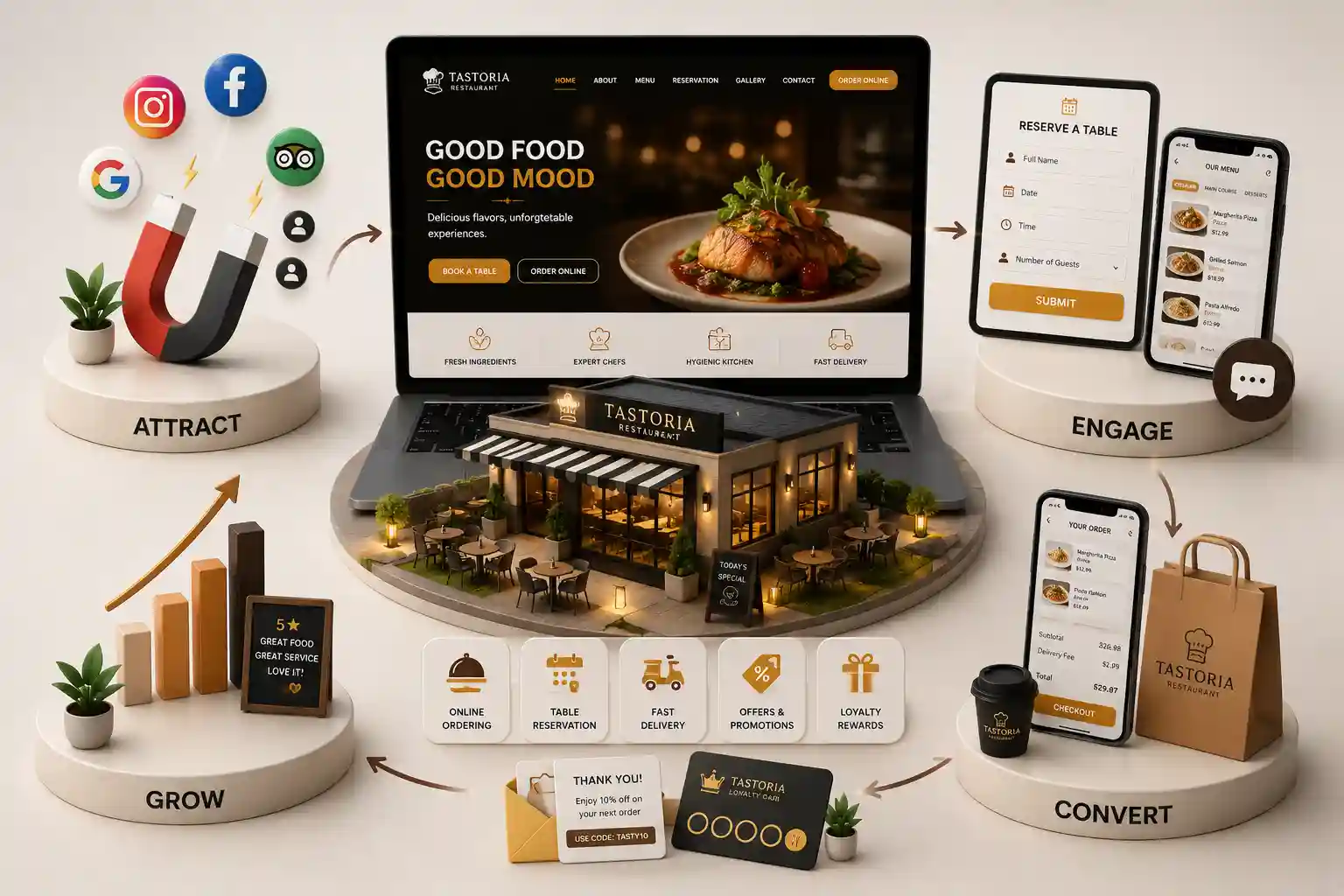
10 Essential Features Every Restaurant Website Needs to Increase Online Orders
See the restaurant website features that help US guests find menus faster, order online, book tables, and trust your brand on mobile. This guide covers ten essential restaurant website features, how to prioritize them, and how to connect each to kitchen, host, and marketing workflows in the United States.
Many restaurant websites look polished yet fail basic guest jobs: finding tonight's menu, confirming hours, ordering pickup, or requesting a table. Owners then blame marketing while restaurant website features remain incomplete or buried. Guests compare options in seconds on mobile. Restaurant website design that prioritizes clarity and conversion protects labor and food cost by filling seats and tickets with higher margin direct demand.
This guide covers ten essential restaurant website features, how to prioritize them, and how to connect each to kitchen, host, and marketing workflows in the United States.
It is written for owners, GMs, and marketers evaluating a rebuild, a restaurant website builder upgrade, or a custom restaurant web development project.
Core restaurant website features that convert guests
Start with a scannable digital menu, accurate hours and location details, prominent order and reserve CTAs, trust proof, and fast mobile performance. Those restaurant website features move more revenue than decorative carousels. An online ordering website path should appear on the homepage and every menu page.
Add structured allergen and dietary notes where relevant. Guests abandon when they cannot confirm basics. Restaurant booking website tools help full service concepts, while QSR brands lean harder on pickup timing and modifier clarity.
Mobile first menus with clear prices and photos
Online ordering for pickup and delivery where you can fulfill
Reservation or waitlist tools matched to your service model
Trust signals: reviews, awards, and real dining room photos
Catering and private dining inquiry forms
Local SEO pages and Google Business Profile consistency
Gift cards and events when they support volume
Analytics events for orders, reservations, and calls
Restaurant web development succeeds when website fields match how tickets reach the kitchen and how hosts manage covers. Collect modifiers, timing, and party size without forcing a long account signup on first purchase. Incomplete checkouts are often a feature problem, not a traffic problem.
If you use a restaurant website builder, confirm you can edit menus without developer tickets. Concepts that 86 items daily need staff friendly controls. Custom builds should still ship an admin workflow managers will actually use.
Guests judge cleanliness, vibe, and professionalism online before they taste anything. Use real photos, specific reviews, and clear parking or transit notes. Keep NAP data aligned with Google Business Profile. Industry operators also track guest experience trends through resources from the National Restaurant Association.
Analytics should answer operational questions: which dishes convert, which devices fail checkout, and which campaigns waste spend. Without those answers, restaurant website design debates stay subjective and budgets drift toward decoration.
Prioritize measurement before launch marketing. Confirm order events, reservation events, call tracking if used, and form failure logging. Those basics tell you which restaurant website features deserve more investment after the first busy month.
When resources are limited, improve menu storytelling and checkout clarity before adding experimental widgets. Guests hire confidence. A focused online ordering website with strong proof usually outperforms a feature heavy site that feels unfinished to serious diners.
Revisit form fields seasonally. Winter catering inquiries differ from summer patio rushes. Adjust required questions so hosts get what they need without scaring off good fit guests. That small habit keeps restaurant website design aligned with real pipeline mix across the year.
Train hosts on which restaurant website features to mention during calls. If online waitlists or catering forms exist, say so. Features only create value when the team routes guests to them confidently during busy service nights.
After each major photo upload, retest gallery and menu speed on mobile. Heavy image libraries quietly undo earlier performance work. A short compression checklist protects the order path that your restaurant website features depend on during holiday weeks.
Prioritize measurement early even on a modest budget. Install analytics, call tracking if used, and order success events before launch marketing. Without those basics, you cannot tell which restaurant website features deserve more investment after the first ninety days.
Build restaurant website features that sell
Tell us your service model and ordering goals. We will prioritize features that increase direct orders without overwhelming your kitchen.
Prioritize restaurant website features by guest jobs
Guests want to see the menu, decide if you fit the occasion, and order or reserve with minimal friction. Score every feature against those jobs. Animated heroes can wait until menus, hours, online ordering, and reservation paths work cleanly on mobile.
Ask recent guests where they hesitated online. Friction often sits in missing allergen notes, unclear pickup timing, or forms that demand an account before a first order.
Make mobile menus and ordering effortless
Most guests browse on phones between errands and dinner plans. Compress photos, keep prices readable, and keep order and reserve CTAs visible. A slow menu is a silent no when guests are comparing neighborhood options.
Keep primary order and reserve CTAs visible on menu pages
Use clear dish names and short descriptions
Avoid hover only interactions for filters
Test click to call and maps on real devices
Connect website features to kitchen and host workflows
Online ordering creates value when the kitchen receives accurate modifiers, timing, and channel tags. Without routing, strong restaurant website features become a messy ticket printer. Document which events fire and who owns incomplete reservations.
Align website fields with how your team qualifies catering and large party requests. A twenty person lunch order and a two top reservation rarely belong in the same queue without tagging.
Retire low value widgets on restaurant sites
Audit quarterly for tools that attract clicks but never create orders. Remove unused gift card embeds, stock video backgrounds, and redundant chat plugins that slow pages without helping hosts or kitchen staff.
Export feature usage and order outcomes for ninety days
Interview hosts and managers about friction
Remove the weakest performer
Reinvest effort into menu content quality
When you remove a feature, tell floor and kitchen managers what changed. People keep sending guests to old URLs or promising widgets that no longer exist. A short internal note prevents avoidable embarrassment during busy service.
Reinvest freed attention into better dish photography and clearer ordering questions. Those unglamorous restaurant website features usually create more direct sales than another animated homepage section. Hungry guests reward clarity.
If ownership wants innovation, pilot one idea on a single menu category first. Measure order rate for a month before rolling it across the full restaurant business website. Controlled tests protect the live funnel.
Score each pilot on mobile conversion, completion rate, kitchen handling time, and average check. A feature that looks impressive in a demo but floods the line with incomplete orders is not a win. Restaurant website features must serve operations.
When a pilot succeeds, document the setup so other locations can copy fields and notifications. Standardization keeps restaurant web development maintainable as your catalog of concepts grows.
When a pilot fails, archive the lesson. Teams that forget failed experiments repeat them after turnover. A brief note saves money and keeps restaurant website design focused on what actually creates profitable orders.
Train hosts on which restaurant website features to mention during calls. If online waitlists or catering forms exist, say so. Features only create value when the team routes guests to them confidently.
A clear mobile menu, accurate hours, order and reserve CTAs, trust proof, structured forms, local pages, and fast performance. These restaurant website design elements move guests from research to a completed ticket or table request. Everything else is secondary until those basics convert consistently on mobile.
Include ordering if pickup or delivery is core revenue. Fine dining may start with reservations and catering forms. Add checkout after kitchen capacity and timing rules are documented so staff are not flooded with incomplete tickets during peak service.
Publish enough categories to match how guests browse without creating thin duplicates. Quality dish descriptions beat a huge set of unlabeled photo dumps that never get updated by kitchen or marketing staff.
Yes for most markets. Selected reviews that mention food, service, or atmosphere help guests decide faster. Pair quotes with the occasion they reference so proof feels specific rather than generic star ratings copied from every competitor.
Most companies benefit from one restaurant business website with location specific pages. That keeps branding consistent while capturing local search demand. Thin city templates without real operations usually hurt more than they help and can confuse guests about which kitchen will fulfill the order.
Critical. Slow menus increase bounce rates and reduce orders even when ads are well targeted. Test menu pages on midrange phones before launch and after major photo uploads so performance regressions do not hide until Friday night.
What you serve, where you are, a clear order or reserve CTA, and a trust signal such as a featured dish or review. Avoid clutter that pushes action below the first screen on mobile where most hungry guests make the decision.
Review usage quarterly. Keep tools that improve discovery, credibility, order context, or staff efficiency. Retire the rest. Restaurant website features should earn their place with sales evidence, not demo excitement from a pitch meeting.
Builders can launch faster for simple scopes. They become limiting for complex ordering rules, multi brand systems, or deeper SEO architecture. Choose based on operations, not only monthly software price, and plan an exit path if you outgrow the builder later.
A practical 2026 guide to restaurant website design in Salt Lake City, from menus and reservations to neighborhood discovery and direct-order conversion.
Plan restaurant website budgets in the USA with clear cost bands for menus, online ordering, reservations, timelines, and direct guest acquisition ROI.
Restaurant websites with digital menus, reservations, and online orders that fill more tables every week. Available for restaurants across major Indian cities. Every page is planned for stronger search visibility, faster performance, clearer customer journeys, and measurable enquiries.
My Perfect Solutions helps brokers, clinics, restaurants, and growing brands launch fast, SEO-ready websites that turn search traffic into qualified enquiries across India.