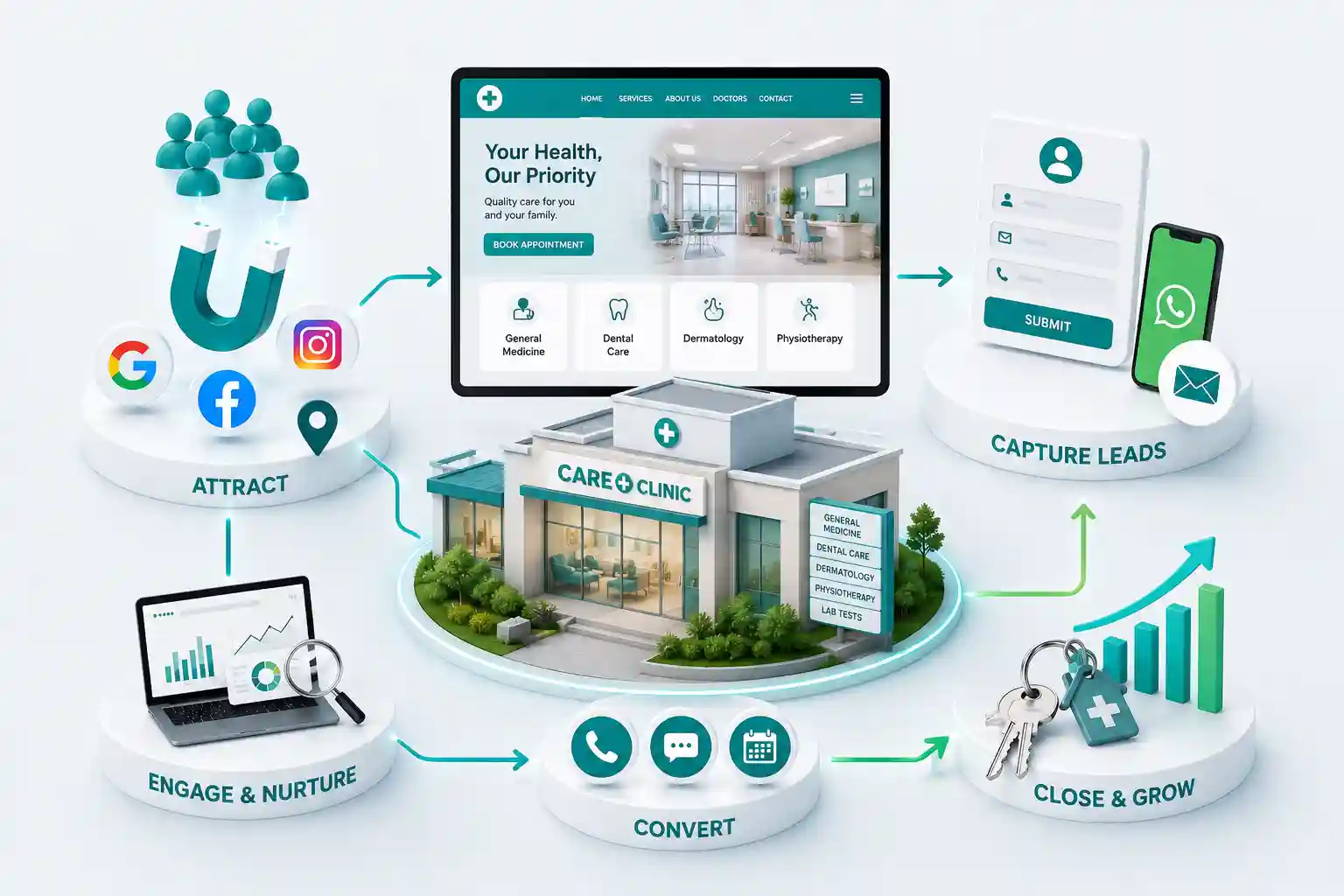
10 Essential Features Every Clinic Website Needs in 2026
Prioritize clinic website features that turn research into booked visits: clear services, mobile booking, trust proof, local pages, and fast performance. This guide covers ten essential clinic website features grouped into practical build priorities, plus how to phase them without overwhelming your front desk.
Many clinics launch a polished homepage and still lose patients because booking is buried, services are vague, or mobile performance is slow. Doctor website features get treated as decoration instead of tools that move someone from research to a confirmed visit. US patients compare options quickly on their phones. Strong clinic website features remove doubt, answer logistics early, and make the next step obvious. Weak medical website design forces people back to directories or competitors.
This guide covers ten essential clinic website features grouped into practical build priorities, plus how to phase them without overwhelming your front desk.
Practice owners, office managers, and marketers planning healthcare website development or a clinic web design refresh in 2026.
Features 1 to 4: clarity, trust, and service discovery
Start with service pages written the way patients search, not the way clinical notes are filed. Each specialty or treatment line needs a plain summary, who it helps, what to expect, and a booking path. Pair that with provider profiles that show credentials, languages, and accepting new patients status.
Trust blocks matter next: real clinic photography, selected reviews, affiliations, and a concise new patient FAQ. Insurance and payment notes should sit near the CTA so callers are not surprised. These doctor website features reduce repetitive front desk questions and improve conversion quality.
1. Clear service and condition pages
2. Provider profiles with credentials
3. Social proof and clinic photography
4. Insurance, hours, and visit logistics
Write service pages with the words patients type into Google, then have a clinical owner validate accuracy. That balance keeps clinic website features useful for SEO without drifting into unsafe medical claims. Update seasonal hours and insurance lists on a fixed calendar so trust details do not silently expire.
Provider profiles should answer the questions anxious patients actually ask: who will I see, what languages are spoken, are new patients accepted, and what happens on the first visit. When those answers are missing, people bounce to directories even if your medical website design looks premium.
Features 5 to 7: appointment booking website essentials
An appointment booking website experience should work in under a minute on mobile. Offer click to call, a short request form, or live calendar booking depending on your staffing model. Keep required fields lean. Capture service type, preferred time window, and contact details first.
Add confirmation messaging that sets expectations for response time. Route notifications to the right inbox or scheduler. If you operate multiple locations, ask for preferred campus early so staff are not reshuffling appointments later.
5. Prominent mobile booking and call CTAs
6. Short forms with smart routing
7. Confirmation and follow up messaging
Test the booking path on a real phone with a weak signal. If the calendar widget stalls or the keyboard covers required fields, fix that before buying more ads. Appointment booking website friction on mobile is one of the most common silent leaks in otherwise thoughtful clinic web design.
Train the team on what happens after submit. Patients who receive a clear confirmation and a timely call trust the practice more. Website features cannot compensate for unanswered leads, so pairing design with response standards is part of healthcare website development done well.
Features 8 to 10: local reach, speed, and privacy minded forms
Local SEO foundations help patients find you for city plus service queries. Align NAP details with your Google Business Profile and publish useful local context when it is genuine. Performance is a feature too: compress images, limit heavy scripts, and keep Core Web Vitals healthy so clinic web design feels trustworthy.
Finally, treat contact and intake forms with care. Collect only what you need, explain why you ask, and protect access. Review public guidance such as the HHS HIPAA overview when planning policies with your compliance and technology partners.
8. Local pages and consistent business details
9. Fast mobile performance
10. Privacy minded forms and secure hosting practices
Prioritize measurement early even on a modest budget. Install analytics, call tracking if used, and form success events before launch marketing. Without those basics, you cannot tell which clinic website features deserve more investment after the first ninety days.
Build clinic website features that book visits
Tell us your specialties and locations. We will recommend a practical feature roadmap for US patient acquisition.
Prioritize features by patient jobs, not demos
List the jobs a visitor must complete: find the right service, trust the practice, understand next steps, and book or call. Score every proposed feature against those jobs. Fancy animations can wait until search, service pages, and booking paths are fast and clear on mobile.
Interview recent patients about where they hesitated online. Friction often hides in buried phone numbers, unclear insurance notes, missing parking directions, or forms that ask for too much too soon.
Make the mobile booking experience non negotiable
Most patients browse on phones between errands. Sticky contact actions, readable service facts, and simple booking steps matter more than desktop only layouts. Test with throttled networks. If a service page takes too long to become useful, paid traffic will abandon before the calendar loads.
Keep primary booking CTA visible without covering critical facts
Compress hero media without muddy clinic photos
Avoid hover only interactions for menus and filters
Validate click to call and form success on real devices
Connect website features to scheduling workflows
A feature creates value when the right teammate receives context. Appointment requests should create follow up tasks. Service specific forms should carry the requested visit type into your inbox or EHR workflow. Without that plumbing, even excellent UX becomes a leaky funnel.
Document which events fire on which pages and who owns incomplete records. Front desk needs speed. Providers need visit context. Managers need conversion reporting.
Retire low value widgets before they become clutter
Audit quarterly for tools that attract clicks but never create bookings. Remove or hide them. Every unused script taxes performance and distracts from features that already work.
Export feature usage and booking conversion for ninety days
Interview two front desk staff about friction
Remove or replace the weakest performer
Reinvest attention into content or provider page quality
When you retire a widget, tell the front desk what changed and why. Staff still recommend old paths out of habit. A short internal note prevents patients from being coached toward a removed chat tool or a retired portal link that now 404s.
Reinvest the saved attention into service page clarity and booking confirmation copy. Those unglamorous clinic website features usually move appointment volume more than another interactive module. Patients reward simplicity when they are anxious and short on time.
If leadership wants innovation, pilot one new feature on a single service line first. Measure booking rate for thirty days before rolling it across the entire medical website design. Controlled experiments protect the live patient journey.
Create a simple scorecard for each pilot: mobile conversion, completion rate, staff handling time, and patient complaints. If a feature helps marketing screenshots but hurts front desk throughput, it is not a win. Clinic website features must serve operations as well as acquisition.
When a pilot succeeds, document the setup so other locations can copy it without reinventing fields and notifications. Standardization is how multi site healthcare website development stays maintainable as you grow.
When a pilot fails, archive the lesson. Teams that forget failed experiments repeat them after staff turnover. A brief note in your marketing folder saves money and protects doctor website features from becoming a graveyard of abandoned tools.
Clear service pages, provider profiles, mobile booking CTAs, trust proof, insurance and hours details, fast performance, and privacy minded forms. These doctor website features remove friction before patients ever call. Practices that prioritize those essentials usually outperform clinics that invest mainly in decorative animation or unused patient portals.
Not always. A well designed request form plus fast follow up can outperform a complex calendar if staffing is limited. Choose the appointment booking website model your team can support consistently. A half monitored calendar creates more frustration than a simple form answered within an hour.
Create pages for services patients actually search and that you can staff. Thin duplicate pages hurt more than they help. Expand with condition education only when clinical owners can keep content accurate. A smaller set of strong clinic website features pages beats a large unfinished library.
Yes for most US markets. Selected testimonials and rating summaries help anxious patients decide faster. Keep review displays authentic and compliant with your marketing policies. Pair reviews with real photography so the clinic web design feels grounded rather than generic.
Most practices benefit from one healthcare website development system with location specific pages. That keeps branding consistent while capturing city based search demand. Separate domains only when brands or compliance requirements truly diverge.
Critical. Evening research happens on phones. Slow galleries and heavy scripts increase bounce rates and reduce booked visits even when ads are well targeted. Treat speed as a core clinic website feature, not a later optimization.
Who you help, primary services, a clear booking or call CTA, and a trust signal such as ratings or years in practice. Decorative video can wait until conversion basics work. Homepage clarity supports every deeper doctor website features page you publish later.
Review usage quarterly. Keep tools that improve discovery, trust, booking context, or staff efficiency. Retire the rest so medical website design stays focused. Document removals so staff stop recommending retired tools to patients.
Yes when you offer it operationally. Add clear eligibility notes and a dedicated CTA. Do not promote telehealth if scheduling and clinical coverage are not ready. Overpromising digital visits damages trust faster than omitting the option. Start with one service line and expand only after operations prove reliable.
Plan clinic website budgets in the USA with clear cost bands for booking tools, provider pages, HIPAA minded workflows, timelines, and patient acquisition ROI.
See how clinic website development turns search interest into booked visits through clearer services, stronger trust, faster mobile paths, and better follow up.
Patients find your clinic online, then leave before booking. Fix the friction in forms, doctor info, services, mobile speed, local SEO, and contact options.
A website UX guide for clinics: clearer care discovery, usable practitioner profiles, appointment paths, accessible forms, and dependable content operations.
Healthcare websites that build patient trust, simplify appointments, and help clinics grow. Available for doctors and hospitals across major Indian cities. Every page is planned for stronger search visibility, faster performance, clearer customer journeys, and measurable enquiries.
My Perfect Solutions helps brokers, clinics, restaurants, and growing brands launch fast, SEO-ready websites that turn search traffic into qualified enquiries across India.