Real Estate Landing Pages: How to Convert Google and Meta Ad Traffic
Build focused real estate landing pages for Google and Meta campaigns with relevant offers, credible project detail, mobile friendly forms, and measurable enquiry journeys. This guide shows how to plan real estate landing pages by campaign intent, structure the page, present project information, design forms and calls to action, improve mobile performance, track meaningful outcomes, and test changes responsibly. It also explains how Google and Meta destinations should differ without fragmenting your website.
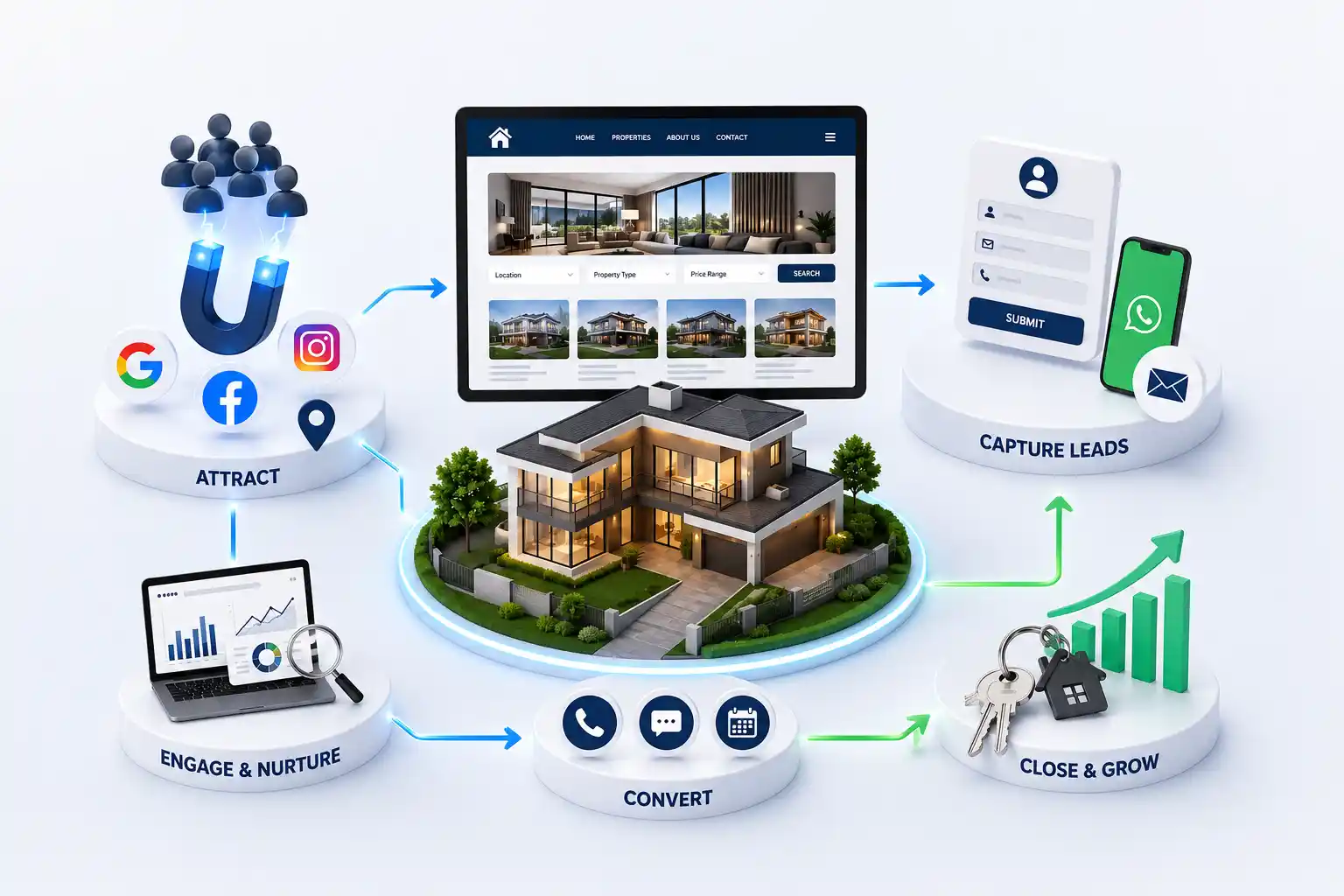
Property campaigns often spend carefully on audience, keywords, creative, and bidding, then send every visitor to the home page or a generic project listing. The ad promises a particular location, configuration, price context, or brochure, but the destination makes people search for it again. Google and Meta traffic can represent very different levels of intent. A person searching for a named project behaves differently from someone discovering a weekend home through a video. The landing page must continue the campaign conversation, establish credibility, answer immediate objections, and make the next step comfortable on a phone.
This guide shows how to plan real estate landing pages by campaign intent, structure the page, present project information, design forms and calls to action, improve mobile performance, track meaningful outcomes, and test changes responsibly. It also explains how Google and Meta destinations should differ without fragmenting your website.
It is for Indian developers, brokers, channel partners, marketing managers, and performance teams planning paid campaigns or reviewing landing pages that attract clicks but not enough useful sales conversations.
Match the landing page to campaign intent
Start with what the visitor knew and expected before clicking. A Google search for a named project usually needs exact availability, location, plans, and contact options quickly. A broader search such as apartments near an employment hub may need comparison and locality context. Meta audiences may encounter the project for the first time, so the page must orient them before asking for details. One universal page rarely serves all three situations well.
Message match means the ad promise, landing page headline, media, and offer describe the same thing. If an ad promotes ready possession two bedroom homes, the destination should not lead with the developer group history and hide those units below several screens. Keep campaign language accurate. Do not advertise a starting price without stating what it applies to, and do not imply availability that the sales team cannot confirm.
Landing page approach by advertising intent
Campaign intent
Visitor expectation
Useful page focus
Named project search
Specific facts and action
Plans, status, location, enquiry
Location and configuration
Relevant choices
Fit, connectivity, available options
Investment research
Evidence and limitations
Product facts, costs, disclosures
Meta discovery campaign
Reason to care
Visual story, audience fit, next step
Remarketing
A useful reason to return
Visit, brochure, updated availability
Structure the page around buyer questions
The first screen needs a descriptive project or offer headline, a concise location cue, one meaningful visual, relevant price or configuration context when approved, and a clear next action. It should identify who the property suits without covering the screen in badges. A visitor should understand the proposition before sharing a phone number.
The rest of the page should follow the questions a serious prospect asks: what is offered, where it is, why the location fits, what the plans include, who is responsible, what approvals or disclosures apply, and how to proceed. Place the form after enough evidence to support the decision, then repeat a compact action near high intent sections. A long page is acceptable when every section resolves uncertainty; a short vague page is not automatically efficient.
State the project, location, configuration, and campaign offer clearly
Summarize relevant highlights without unsupported superlatives
Show approved photographs, plans, amenities, and location context
Explain developer or broker identity and applicable RERA information
Answer common cost, possession, visit, and availability questions
Offer a call, WhatsApp conversation, brochure, or site visit request
Property is a considered purchase, so trust cannot depend on polished design alone. Name the developer or authorised brokerage, show a reachable business identity, and include RERA references where applicable. Distinguish actual photography, renderings, sample flat images, and illustrative location maps. Add a short disclaimer when prices, inventory, or specifications can change.
Choose detail according to campaign intent. A local family may value schools, daily travel, and possession stage. An office buyer may need floor plates, access, parking, and fit out conditions. Avoid turning amenities into a wall of icons. Explain the few points that influence the decision and support them with approved material. Compress brochures and plans for mobile access, and provide meaningful alternatives for users who cannot view an image.
Evidence that helps a property landing page earn trust
Page element
What to include
What to avoid
Project identity
Exact name, location, responsible party
Anonymous lead capture page
Media
Labelled approved images and plans
Unclear stock or borrowed visuals
Price context
Basis, unit, and applicable note
Ambiguous starting price
Location
Accurate map and practical access
Misleading travel claims
Compliance
Relevant registration and disclosure
Badges without verifiable detail
Design forms and calls to action for useful enquiries
The action should match the promise. Use Download approved brochure only when delivery is immediate and the brochure is current. Use Request a site visit when the team can schedule one. Speak to a property adviser creates a different expectation from Get price. Avoid several equally prominent buttons with unclear outcomes. If call and WhatsApp are offered, pass the project and campaign reference so the receiving agent understands the context.
Ask for the minimum information needed at that stage. Name and phone may be sufficient for a named project callback, while a broad portfolio campaign may benefit from locality, configuration, or budget choices. Explain why a field is needed, validate errors clearly, and preserve entered data when validation fails.
Use one primary action linked to the campaign promise
Keep labels specific about what happens after submission
Use phone input and errors that work on common mobile devices
Pass project, page, campaign, and consent context to the CRM
Show a useful confirmation with expected next steps
Provide an alternative contact path for visitors who prefer it
Make mobile speed and usability part of the campaign
Paid visitors should not fund downloads they abandon. Optimize hero media, avoid autoplay video, reserve image space to prevent layout movement, and load secondary galleries only when needed. Third party chat, maps, analytics, and advertising scripts can make a simple page heavy, so review each one against its purpose. Test on a mid range Android phone using mobile data, not only on an office laptop.
Usability matters alongside loading. Keep text readable, buttons easy to tap, forms compatible with mobile keyboards, and plans zoomable without trapping the page. Ensure sticky controls do not cover consent text or form errors. Test the back button, slow connections, interrupted submissions, WhatsApp deep links, click to call, and thank you state. A fast first screen is insufficient if the enquiry fails at the final tap.
Google describes landing page experience as part of ad quality. Use Google Ads landing page guidance as an official reference, then validate the page with your own devices and campaign journey.
Track meaningful outcomes and test responsibly
Define measurement before launch. Record the ad platform identifiers and campaign parameters permitted by your setup, then track meaningful actions such as valid form submission, connected call, brochure delivery, WhatsApp initiation, and site visit request. Send source context into the CRM so sales can mark qualification and later outcomes. A platform conversion confirms an event, not necessarily a suitable prospect or completed sale.
Protect measurement quality with duplicate controls, test traffic filters, consistent naming, consent handling, and a written event definition. Expect differences among the ad platform, website analytics, and CRM because attribution and data collection methods vary.
Test one meaningful hypothesis at a time when traffic allows. Examples include a clearer headline, a shorter form, different proof order, or a site visit action for high intent searches. Decide the primary measure and guardrails before the test. Do not declare a winner from a handful of enquiries, and do not optimize only for cheap leads if qualification or response quality falls.
A practical campaign measurement ladder
Level
Example measure
Question answered
Delivery
Page loaded and form worked
Could visitors use it?
Engagement
Plan viewed or action started
Did content help?
Lead
Valid enquiry received
Was contact possible?
Quality
Requirement confirmed
Was intent relevant?
Sales
Visit or opportunity progressed
Did sales value it?
Plan distinct Google and Meta pages without creating chaos
Google pages often need direct keyword and project relevance near the top. Meta pages may need more explanation, visual sequencing, and audience framing before the action. This does not require a separate technical system for every ad set. Build reusable sections for project facts, location, media, plans, proof, forms, disclosures, and frequently asked questions. Allow controlled content variation while keeping data, tracking, accessibility, and design standards consistent.
Before launch, verify the final ad URL, mobile display, project facts, forms, CRM delivery, phone and WhatsApp destinations, analytics events, privacy links, consent, RERA details, and thank you behaviour. Assign an owner for price and inventory updates. When a campaign ends, archive, redirect, or retain the page based on continuing usefulness.
We can help structure focused, mobile friendly pages with credible project detail, enquiry tracking, and CRM ready forms.
The strongest real estate landing pages do not depend on tricks. They reduce the distance between the advertisement and a useful sales conversation. Match intent, provide enough evidence, make the next action clear, and measure what happens after the form. That gives marketing and sales a shared basis for improving campaigns without making promises the property or team cannot support.
A real estate landing page is a focused destination built for a specific project, audience, location, or campaign offer. Unlike a general home page, it continues the advertisement with relevant property detail and one clear next step. It should still use accurate website data, brand standards, privacy practices, tracking, and CRM delivery.
They can share a system and project data, but the content order may need to differ. Google search visitors often express direct intent and expect facts quickly. Meta visitors may be discovering the project and need more orientation before acting. Choose page variants based on actual audience and message differences, not simply the advertising platform name.
Use the length needed to answer the visitor's important questions and support the requested action. A named project callback page may be compact, while a discovery campaign may require location, plans, media, trust, and FAQs. Remove repetition and unsupported claims. Judge usefulness, mobile readability, and enquiry quality rather than aiming for a fixed screen count.
Ask only for information needed for the next step. Name and phone may suit a specific project callback; locality, configuration, or budget can help qualify a broad campaign. Every added field should have an operational purpose. Make validation clear, preserve campaign context automatically, explain communication consent, and avoid asking visitors to repeat facts already known from the page.
Show approved price context when it helps the visitor evaluate fit and the team can maintain it. State what a starting price applies to and add relevant conditions without hiding them. If availability changes frequently, explain that confirmation is required. Avoid ambiguous figures designed only to trigger a form, because they create poorly informed calls and weaken trust.
Use an identifiable developer or authorised broker, accurate location, labelled media, practical project facts, applicable RERA details, clear contact information, transparent price context, and reasonable disclosures. The visual design should be consistent and accessible, but evidence matters more than badges, countdown timers, anonymous testimonials, or unsupported claims about returns.
Track valid submissions and other meaningful actions with consistent campaign context, then pass the source into the CRM. Review qualification, site visits, opportunities, and closure reasons alongside advertising events. Test every channel after launch and reconcile systems regularly. Differences can arise from attribution settings, blocked scripts, device changes, duplicate controls, and offline contact.
A reusable template is efficient when it supports genuine project variation and strong quality controls. Keep components, tracking, accessibility, and data structure consistent, but adapt the headline, audience framing, plans, location, proof, actions, and FAQs. Do not create thin copies that change only the project name while leaving irrelevant content or stale offers.
Look for campaign and audience discovery, content responsibilities, responsive design, development, performance work, form and CRM integration, tracking definitions, testing, disclosures, launch checks, and post launch support. The proposal should state how many project or campaign variants are included and who maintains data. Avoid partners promising a guaranteed conversion rate without understanding traffic quality and sales follow up.
Plan a practical real estate CRM integration that captures enquiry context, assigns the right agent, supports timely follow up, and gives managers reliable pipeline visibility.
Use this practical redesign checklist to diagnose an outdated property website, preserve search visibility, improve buyer journeys, strengthen enquiry quality, and plan a controlled launch with fewer migration risks.
Property listing websites with search, lead capture, and broker ready tools. Available for agencies and builders across major Indian cities. Every page is planned for stronger search visibility, faster performance, clearer customer journeys, and measurable enquiries.
My Perfect Solutions helps brokers, clinics, restaurants, and growing brands launch fast, SEO-ready websites that turn search traffic into qualified enquiries across India.