Why Real Estate Websites Lose Property Leads — 9 Conversion Mistakes to Fix
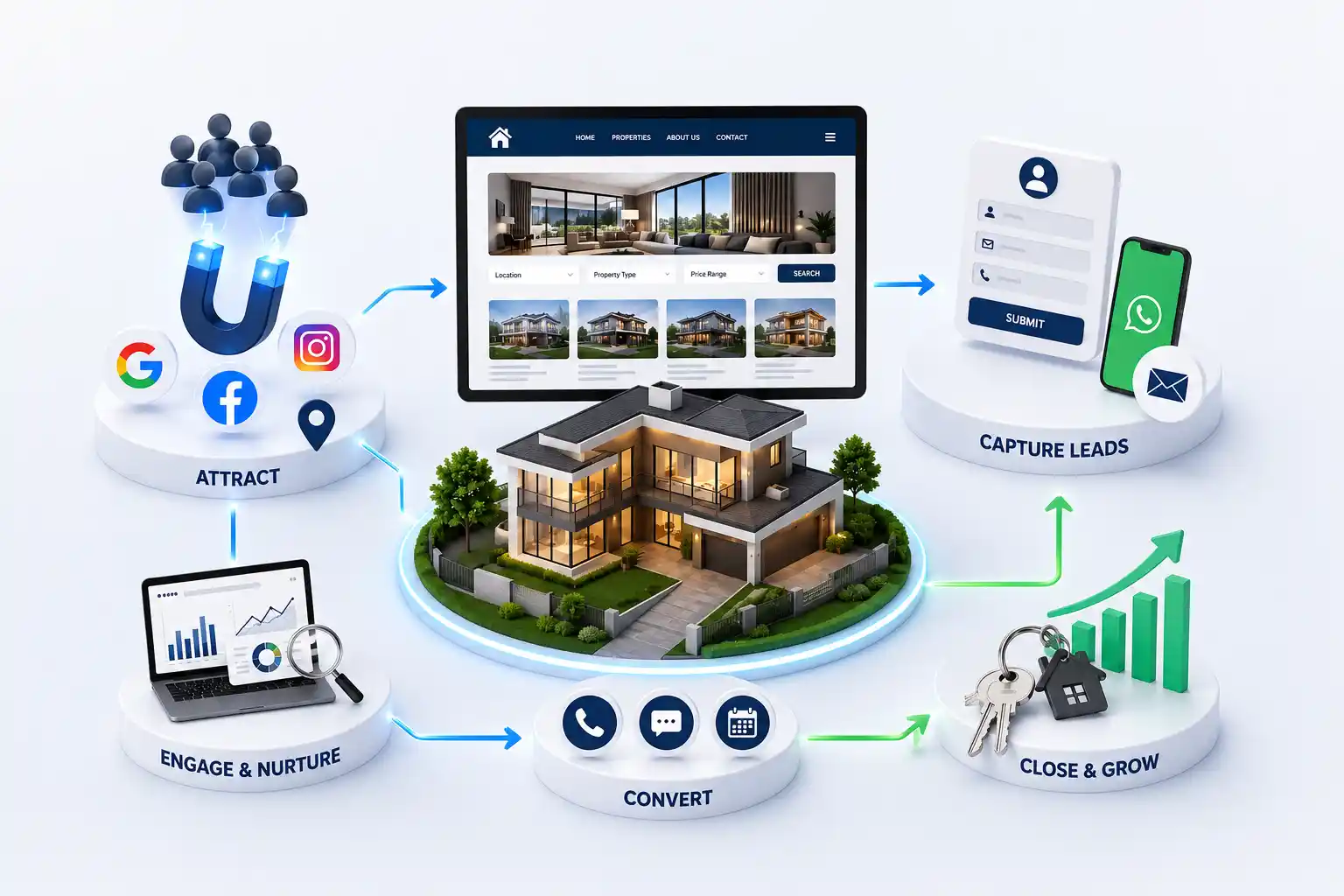
Visitors browse listings but never enquire. Fix the nine conversion mistakes that silently kill property leads on real estate websites. This guide walks through nine conversion mistakes that cause real estate websites to lose property leads, what each mistake looks like in practice, and how to fix search, CTAs, speed, WhatsApp, listing clarity, trust, mobile UX, routing, and response expectations.
A buyer opens your site, scrolls three listings, and leaves without a call, form, or WhatsApp message. Traffic reports look healthy. The sales team still says enquiries are soft. The gap is rarely brand awareness—it is conversion friction on search, listing pages, contact paths, and follow-up. Property decisions are high consideration. Visitors will compare you with portals and other brokers in the same evening. Every unclear filter, slow gallery, or buried enquire button quietly hands that lead to someone else. Fixing conversion mistakes protects the marketing budget you already spend.
This guide walks through nine conversion mistakes that cause real estate websites to lose property leads, what each mistake looks like in practice, and how to fix search, CTAs, speed, WhatsApp, listing clarity, trust, mobile UX, routing, and response expectations.
For builders, brokers, consultants, channel partners, and marketing teams who want more qualified property enquiries from their own website—not only more page views.
Browsing is not an enquiry—design for the moment of intent
Most property sites are designed like catalogues. They look complete when a designer reviews the homepage, yet they fail when a buyer is ready to ask about availability, price band, or a site visit. Intent shows up as a shortlist: one or two projects, a budget range, and a locality preference. If the site cannot help a visitor build that shortlist and then contact you with context, you will keep seeing bounce after browse sessions.
Start with the buyer job, not the brochure. A serious visitor wants to filter options, compare a few listings, confirm the basics, and contact someone who will respond. Your navigation, filters, listing templates, and CTAs should support that sequence. Anything that interrupts it—auto-playing video, unbroken image carousels, or a contact page with no project field—becomes a conversion mistake.
Mistakes 1–2: weak property search and buried CTAs
Mistake one is a property search that does not match how buyers think. If visitors cannot filter by budget, bedrooms, possession timeline, or locality without scrolling endlessly, they abandon the site and return to a portal. Filters should be visible early, use plain labels, and update results without forcing a full page reload that loses position. Empty states should suggest a nearby budget or locality instead of a blank screen.
Mistake two is a weak or buried call to action. Enquire buttons that only appear in a sticky footer after a long scroll, or CTAs that say Contact Us with no listing context, create hesitation. Place Enquire, WhatsApp, and Call actions near price, availability, and floor-plan sections. Label them with outcome language such as Request a callback or Ask about this flat so the visitor knows what happens next.
Show budget, BHK, and locality filters above the fold on listing hubs
Keep filter chips visible so visitors can refine without starting over
Put a primary enquire action beside key listing facts, not only in the footer
Pass project or unit context into forms and WhatsApp prefill text
Avoid three equal buttons that compete on every screen
Mistakes 3–4: slow pages and missing WhatsApp paths
Mistake three is slow page performance. Property sites often ship uncompressed hero images, multiple map embeds, and third-party chat scripts. Evening mobile buyers on average networks leave before the first gallery finishes loading. Compress media, lazy-load below-the-fold images, reserve space for carousels, and remove scripts that are not essential to search or enquiry. Speed is not a technical vanity metric—it is a lead-protection feature.
Mistake four is ignoring WhatsApp as a primary enquiry channel in markets where buyers expect it. A contact form alone is not enough when competitors offer one-tap chat with the project name already filled. Add WhatsApp beside listing detail with a short prefilled message that includes project, configuration, and page URL. Route chats to a monitored number with a clear ownership rule so messages do not sit unread overnight.
Mistakes 5–6: confusing listing pages and missing trust signals
Mistake five is a confusing listing page. Buyers need photos that show real spaces, floor plans that are readable on a phone, clear possession or status language, amenities that matter, and an honest note on price discovery. Hiding critical facts behind Enquire for price without any band or guidance often feels like a trap. Structure the page so a visitor can decide whether the property fits before they contact you—then make contact effortless.
Mistake six is missing trust signals at the decision point. High-ticket buyers look for RERA identifiers where applicable, completed project proof, developer or agency identity, and testimonials that feel specific. Placing all trust content only on an About page is too late. Surface short trust cues near the enquire action: registration references, years of delivery, and a named contact path. Avoid unverifiable claims that sales cannot defend on a call.
Listing page elements that support enquiry
Section
Buyer question
Conversion role
Gallery and floor plan
Does this fit my life?
Builds shortlist confidence
Price and status
Is this realistic for me?
Reduces fake enquiries
Locality cues
Is the area workable?
Qualifies location fit
Trust strip
Can I trust this seller?
Lowers last-step fear
Enquire cluster
How do I talk to someone?
Captures the lead
Need a real estate website that captures property leads?
Talk through search, listing templates, WhatsApp flows, and lead routing in a consultation focused on Real Estate Website Development.
Mistakes 7–8: poor mobile UX and messy lead routing
Mistake seven is treating mobile as a shrunk desktop. Property research happens on phones between other tasks. Tiny filter controls, horizontal scroll tables, and forms with too many required fields create abandonment. Design listing hubs and detail pages for thumb reach, keep type large enough to read floor-plan labels, and test enquire flows on mid-range Android devices—not only on a design laptop.
Mistake eight is messy lead routing. When every enquiry lands in a shared inbox without project tags, locality, or preferred contact method, response quality collapses. Serious buyers get generic replies. Map each CTA to a destination with enough context for the right person to answer. Even a simple routing rule by project or city beats a single undifferentiated dump of form submissions.
Require project or listing context on every enquiry path.
Capture preferred contact channel and best time to call when useful.
Notify the owner who can actually answer that inventory.
Log the source page so sales can reopen the same listing.
Review unanswered leads weekly and fix the ownership gaps.
Mistake 9: no clear follow-up expectation after enquire
The ninth mistake is silent after a visitor submits. A confirmation that only says Thank you leaves buyers unsure whether anyone saw the message. State what happens next in plain language: a call within a defined window, a WhatsApp reply, or a request for preferred visit slots. Align that promise with staffing reality. Overpromising response times damages trust faster than a slower but honest expectation.
Measure the full path: listing views, enquire starts, submissions, first human reply, and site visits booked. If enquire starts are high but submissions are low, simplify the form. If submissions are high but site visits are low, improve qualification and response quality. Conversion work continues after the click.
“Property leads are lost in the gaps between interest and a clear next step—not only in advertising spend.”
A practical fix order for property lead conversion
Do not rebuild everything at once. Fix the highest-friction steps first: searchable inventory, clear listing pages, visible enquire and WhatsApp actions, mobile speed, and owned follow-up. Then improve trust strips, routing rules, and measurement. A smaller site that converts evenings of buyer research will outperform a large brochure that only looks complete in a stakeholder review.
Visitors can browse without a clear path to enquire. Weak filters, buried CTAs, slow mobile pages, confusing listing detail, and delayed follow-up are common reasons interest never becomes a contact.
Search and listing pages that do not help buyers shortlist by budget, configuration, and locality. Without that step, enquire actions feel premature and visitors return to portals.
In markets where buyers expect chat, yes—especially on mobile. Prefill the project name and keep the number monitored. Keep a short form as a backup when chat is offline.
Enough for a buyer to judge fit: usable photos, readable floor plans, status, locality cues, and honest price guidance. Then make contact simple. Hiding every fact behind a form often reduces trust.
Yes. High-ticket buyers look for identity, delivery proof, and compliance cues before sharing a phone number. Place short trust signals near the enquire action, not only on an about page.
As fast as staffing allows, with a published window you can keep. Many buyers contact more than one broker the same evening. A clear confirmation plus a prompt first reply protects conversion.
Track enquire starts, submissions, WhatsApp chats, first replies, qualified leads, and site visits booked. Compare by device and project so you can see where the funnel breaks.
Visual redesign helps only when it also fixes search, listing clarity, CTAs, speed, and routing. A prettier brochure with the same friction will still lose enquiries.
Fix mobile listing pages, filters, enquire and WhatsApp paths, and response ownership first. Those changes usually recover more leads than adding new marketing pages.
Plan a practical real estate CRM integration that captures enquiry context, assigns the right agent, supports timely follow up, and gives managers reliable pipeline visibility.
Use this practical redesign checklist to diagnose an outdated property website, preserve search visibility, improve buyer journeys, strengthen enquiry quality, and plan a controlled launch with fewer migration risks.
Property listing websites with search, lead capture, and broker ready tools. Available for agencies and builders across major Indian cities. Every page is planned for stronger search visibility, faster performance, clearer customer journeys, and measurable enquiries.
My Perfect Solutions helps brokers, clinics, restaurants, and growing brands launch fast, SEO-ready websites that turn search traffic into qualified enquiries across India.