7 Real Estate Website Features That Convert Browsers Into Buyers
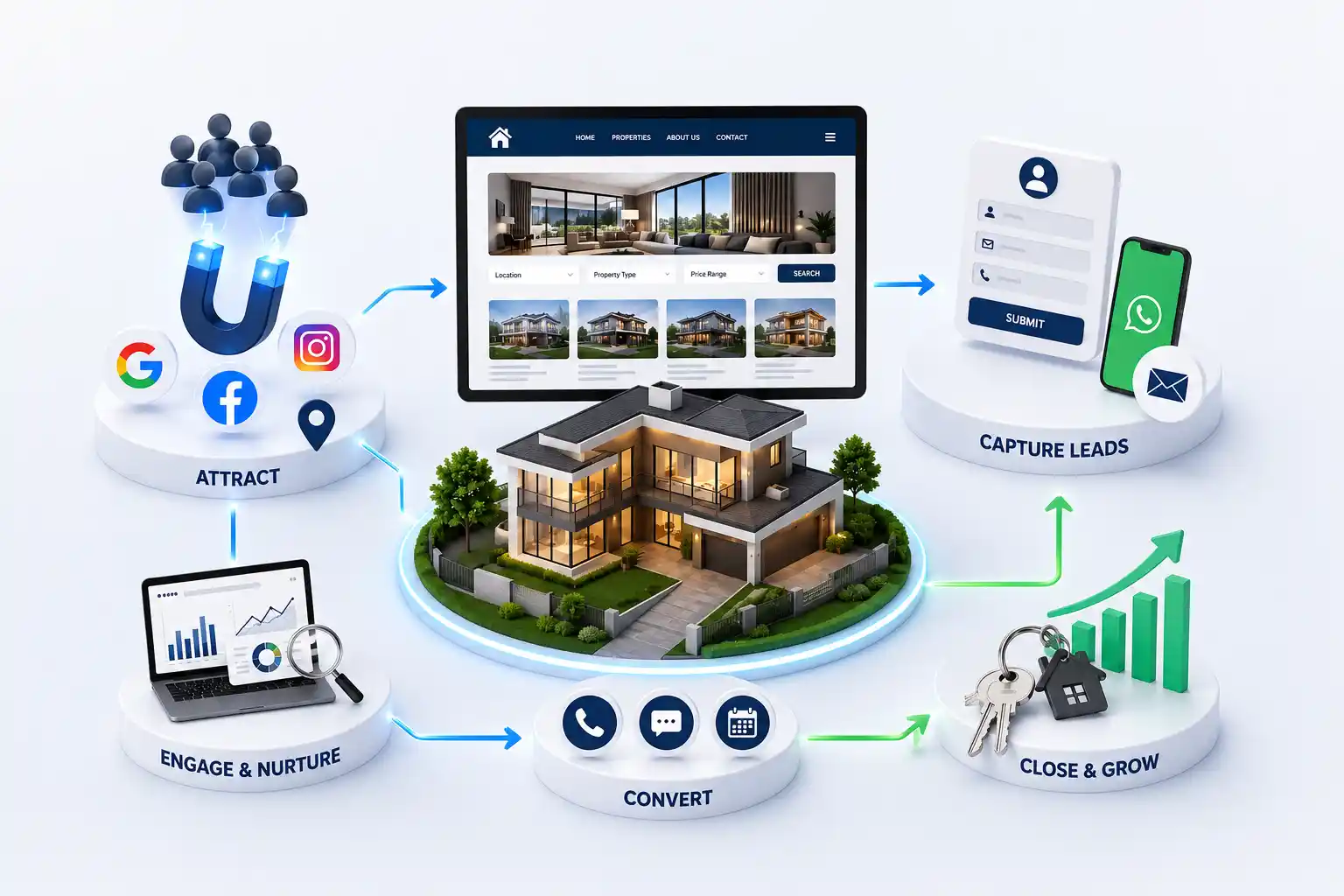
Property search, maps, WhatsApp enquiry, and fast galleries are not optional. Here is what turns listing views into qualified leads. We break down seven high-impact features, how they behave on mobile, real deployment examples, and mistakes teams make when copying generic business templates for property sales.
Agencies drive traffic from ads, referrals, and search, yet enquiry rates stay flat. The issue is rarely traffic quality alone. Listings are hard to filter, maps are missing, and contact options hide below long galleries on mobile. Every extra tap between interest and conversation loses buyers to faster competitors. Features should shorten the path from browse to WhatsApp or call while giving marketing measurable events per listing.
We break down seven high-impact features, how they behave on mobile, real deployment examples, and mistakes teams make when copying generic business templates for property sales.
For marketing leads, broker-owners, and product-minded agents evaluating a redesign or first launch.
Use this as a prioritization checklist before you add flashy animations or blog widgets nobody reads. Pair it with our overview on why agencies need owned websites on the blog hub.
1. Smart property search and filters
Buyers think in budget, BHK, possession, and locality rather than your internal project codes. Filters must sync with URL parameters when possible so shared links reopen the same results. Default sorts should highlight fresh inventory or featured developer tie-ups.
2. Map view with neighbourhood context
Pins turn abstract addresses into decisions. Layer nearby schools, transit, and retail when data is available. Commercial buyers especially want commute time and parking cues. Keep map tiles lightweight so scrolling stays smooth.
3. Contextual WhatsApp and call actions
Sticky actions should travel with the user on mobile detail pages. Prefill messages with project name and URL so agents know context instantly. Track click events separately from form submits to see channel preference.
Old brochure site vs modern property UX
Element
Old website pattern
Modern conversion pattern
Contact
Single footer form
Per-listing WhatsApp + call
Photos
One hero image
Swipe gallery + floor plan slot
Discovery
Text-only menu
Filter + map + featured cards
Speed
Unoptimized sliders
Compressed WebP, lazy load
Follow-up
Email only
CRM + agent assignment rules
4. Fast, honest galleries
Misleading wide-angle shots backfire during site visits. Show realistic lighting, common areas, and street context. Video walkthroughs help but should not block page load. Embed them after interaction or use lightweight players.
5. SEO-ready listing structure
Each project deserves a unique title, meta description, and H1 aligned with how people search. Avoid duplicate boilerplate across towers in the same township. Internal links from area guides into listings pass relevance.
Marketing generates leads; sales must claim them quickly. Simple dashboards showing new enquiries, listing performance, and stale follow-ups prevent internal blame games.
Testimonials with permission, association memberships, years in market, and clear office address reinforce legitimacy. For premium segments, surface agent profiles with specializations (commercial, NRI clients, auction properties).
Want these features on your site?
We implement search, maps, and lead flows tuned for Indian property buyers.
Suggested implementation order
Listing template + WhatsApp/call
Filters and search
Map view for priority localities
Analytics events
Dashboard or CRM sync
SEO refinements and area guides
Listing detail templates that sell the visit
Detail pages should answer price logic, possession timeline, parking, society charges, and nearby landmarks without forcing a call. Use scannable sections: overview, highlights, floor plan slot, location, FAQ mini-block, and enquiry actions repeated after long galleries.
Commercial listings need different modules: yield hints, floor plate, loading access, and compliance notes. Residential templates should surface schools and transit. Mixed-use projects benefit from tabs rather than one endless scroll.
Performance on real-world devices
Test on 4G and mid-tier Android phones common in your city. Compress images per listing, cap autoplay video, and defer map tiles until the user opens the map tab. Core Web Vitals influence SEO and buyer patience alike.
Performance priorities
Priority
Action
Impact
High
Hero image compression
Faster LCP
High
Limit third-party scripts
Stable layout
Medium
Prefetch top listing routes
Snappier navigation
Medium
Cache static assets
Repeat visit speed
Iterate with enquiry data
After launch, rank listings by enquiry volume and scroll depth. Promote high performers on the homepage. Rewrite weak listings with clearer titles and fresher photos. Features matter only when paired with this feedback loop.
A/B test CTA labels on mobile
Shorten forms on low-intent pages
Add map only where buyers use it
Retire features that analytics show unused
Accessibility and clarity
Readable font sizes, strong contrast, and descriptive labels on forms help every buyer, including older investors and NRI families reviewing options remotely. Accessibility also reduces support calls asking basic questions already answered on the page.
Screen-reader-friendly headings, alt text on listing photos, and keyboard-navigable filters are inexpensive wins during the build rather than retrofits after launch.
Security signals on lead forms
HTTPS, concise privacy notes, and spam protection on forms reassure buyers sharing phone numbers. Display business registration details where appropriate for commercial deals.
Features for NRI and out-of-city buyers
Time zones and trust barriers are real. Offer schedule-a-call widgets, downloadable brochures, video walkthroughs, and clear documentation lists. Repeat contact options in sticky mobile bars so international visitors never hunt for how to reach you.
When features align with buyer context, conversion rises without discounting commissions or over-promising on chat.
Marketing-to-sales handoff
Define SLAs: how fast agents respond to website leads, who owns nights and weekends, and how listing IDs appear in CRM notes. Marketing can optimize CTAs forever, but slow follow-up makes feature work invisible.
Instant auto-acknowledgment on form submit
Agent SMS for hot listings
Daily digest for unassigned leads
Weekly review of lost deals by source
Run a monthly workshop where agents demonstrate mobile friction points such as hidden CTAs, confusing filters, and missing photos. Feature backlogs prioritized by sales input ship faster and convert better than vanity redesigns.
Bringing the seven features together
None of these features work in isolation. Search and maps drive discovery; galleries and trust blocks drive confidence; WhatsApp and forms drive action; SEO and performance drive sustainable traffic; dashboards drive follow-through. Prioritize the chain in that order when budgets are constrained.
Revisit this stack after your first hundred website enquiries. You will learn which features buyers in your city actually use and which ones were assumptions copied from unrelated industries. Adjust the roadmap accordingly each quarter starting today.
Measure whether each feature helps a buyer move forward
Define one useful outcome for every major feature before launch. Search should help visitors reach relevant inventory, comparison should clarify a shortlist, and an enquiry action should preserve the property context. Review usage alongside qualified conversations and site visits. A feature with many clicks but poor downstream relevance may need clearer labels, better data, or removal rather than more promotion.
Segment results by device, page template, locality, and traffic source. Mobile visitors may abandon a map that works well on desktop, while paid traffic may use filters differently from organic visitors. Pair analytics events with sales feedback so the team can distinguish interface friction from unavailable inventory or slow follow up.
Give designers and developers testable feature requirements
Replace broad requests such as advanced search with realistic scenarios. Specify the inventory fields, expected combinations, empty states, map behaviour, mobile interactions, and enquiry context that must survive the handoff. Provide sample listings with missing values and unusual prices so testing reflects the records agents will actually publish.
Name an owner for every inventory field and integration
Approve mobile and keyboard behaviour before development closes
Test empty, stale, duplicate, and incomplete listing states
Document analytics events and lead-delivery acceptance criteria
Add advanced property experiences only after the core is reliable
Saved searches, recommendations, virtual tours, calculators, and buyer accounts can support a mature platform, but each introduces new data, privacy, performance, and maintenance responsibilities. Build them when a known audience need and operating owner exist. A fast listing page with trustworthy facts and a clear contact route is a stronger base than several unfinished interactive tools.
Use reusable content models and documented interfaces so new channels do not require copying inventory. When website cards, landing pages, feeds, and CRM records reference one governed property identity, the business can evolve without creating a new source of truth for every feature.
Operate feature data with the same care as the interface
Filters, maps, comparison tables, and recommendations are only as useful as the records behind them. Set a publishing checklist for location names, configurations, price basis, availability, media rights, and agent ownership. Expire or review listings on a defined schedule instead of leaving visitors to discover that the promoted unit is no longer relevant.
Review failed searches and missing filter values each week
Reconcile featured inventory with approved sales records
Test enquiry context after every form or integration change
Retire low-value features before they become permanent clutter
Conclusion
Features matter only when they serve buyer decisions. Ship the paths that create conversations first, then iterate with data from your own enquiries instead of generic SaaS checklists.
Start with listing detail templates plus WhatsApp and call tracking. Without a clear enquiry path, traffic from ads or SEO cannot be monetized.
Even single-township specialists benefit from pins inside the township and nearby amenity context. Maps reduce repetitive phone questions.
If a filter rarely changes results, remove it. Five meaningful filters beat fifteen empty ones that confuse mobile users.
Poor implementation can. Lazy loading, image discipline, and deferring heavy map tiles until interaction keep Core Web Vitals healthy.
Light gating can work for NRI or investor segments. For mainstream residential buyers, friction often reduces total enquiries. Test both on high-intent projects.
WhatsApp usually yields faster first response and higher mobile completion. Forms still matter for buyers who prefer email trails or NRI time zones.
At minimum: listing views, filter usage, WhatsApp clicks, call clicks, form submits, and thank-you page loads. Tie events to listing IDs.
Yes. Launch a solid MVP, then add maps, dashboards, or automation in phases. Avoid rebuilding architecture every quarter by planning extensible listing schemas upfront.
They need richer storytelling, private tour scheduling, and discretion in contact options. Core mechanics such as speed, galleries, and trusted agents stay the same.
Your site should be the canonical brand experience. Portals can syndicate inventory, but owned pages let you control narrative, upsells, and lead ownership.
Plan a practical real estate CRM integration that captures enquiry context, assigns the right agent, supports timely follow up, and gives managers reliable pipeline visibility.
Use this practical redesign checklist to diagnose an outdated property website, preserve search visibility, improve buyer journeys, strengthen enquiry quality, and plan a controlled launch with fewer migration risks.
Property listing websites with search, lead capture, and broker ready tools. Available for agencies and builders across major Indian cities. Every page is planned for stronger search visibility, faster performance, clearer customer journeys, and measurable enquiries.
My Perfect Solutions helps brokers, clinics, restaurants, and growing brands launch fast, SEO-ready websites that turn search traffic into qualified enquiries across India.