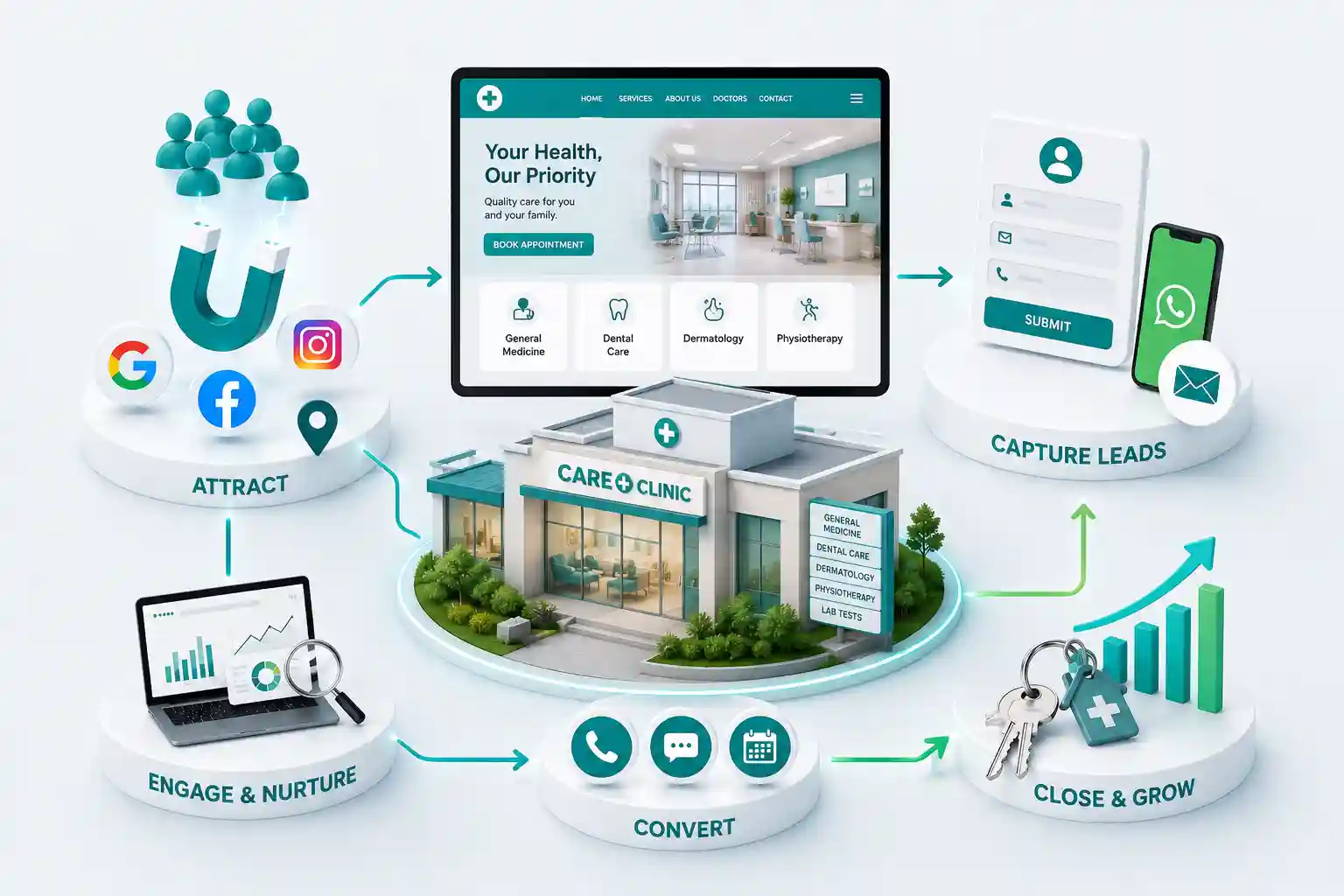
Essential Website Features That Help Bengaluru Clinics Attract More Patients
Five website features Bengaluru clinics need—booking, doctor profiles, maps, reviews, mobile UX, and WhatsApp—to turn searches into appointments. You will learn online appointment booking, doctor profiles, Google Maps integration, patient reviews, mobile-friendly design, and WhatsApp consultation paths that fit real clinic operations in Bengaluru.
A patient searches “skin clinic near Indiranagar” at 10 p.m. Your site loads slowly, hides doctor names behind a generic “Our team” page, and asks for a phone call with no online slot. They book with the competitor whose profile shows tomorrow morning and a map pin that matches the building entrance. Bengaluru clinic website features are not decorative. They are how busy professionals and families choose who to trust with health concerns—and whether they complete booking or bounce back to Google.
You will learn online appointment booking, doctor profiles, Google Maps integration, patient reviews, mobile-friendly design, and WhatsApp consultation paths that fit real clinic operations in Bengaluru.
For Bengaluru clinic owners, practice managers, and hospital marketing leads who want more appointment requests from their owned website.
What this guide covers
Introduction: how Bengaluru patients choose clinics online
Online appointment booking that matches your workflow
Doctor profiles that build trust
Google Maps integration patients rely on
Patient reviews done responsibly
Mobile-friendly design for busy commuters
WhatsApp consultation as a second path
Final thoughts
Introduction: patients compare more than specialty
Bengaluru patients often choose between several credible clinics in the same corridor. They compare wait times, languages spoken, parking, and whether booking feels straightforward. A website that only lists services without people, location clarity, and a booking path feels outdated—even if clinical quality is strong.
The five features below are the baseline for 2026. They work together: profiles earn trust, maps reduce friction, reviews provide social proof, mobile UX completes the task, and WhatsApp catches patients who prefer chat after reading.
Multi-specialty groups in Bengaluru often operate from hospital towers in Hebbal and standalone clinics in Jayanagar. Patients do not care about your corporate structure—they care whether the site shows the right doctor at the right address with a bookable slot. Fragmented microsites and PDF brochures feel outdated compared with one fast property that routes by specialty and location.
Insurance, billing, and report collection questions dominate phone lines. A good clinic website answers routine admin questions upfront so staff can focus on clinical coordination. That reduction in call volume is often the first ROI owners notice after launch.
Online appointment booking aligned with your desk
Booking can mean live slots, request-and-confirm, or specialty-specific forms. Label the flow honestly. If reception must approve, say “Request an appointment” and set response-time expectations. Instant confirmation when you cannot honour it destroys trust faster than no booking at all.
Collect reason for visit, preferred doctor, and language at a minimum. Sync with your practice software or a shared calendar reception already monitors. Double-booking because the website and desk use different systems is a common launch failure.
Offer separate flows for new patients and follow-ups. Returning patients should reach their doctor or department quickly without re-entering demographics you already store.
Publish prep instructions for diagnostics and procedures on the same page as booking confirmation emails. Fewer last-minute cancellations happen when fasting rules and report requirements are clear upfront.
Show cancellation and rescheduling rules beside the booking button. Bengaluru patients often book between meetings; easy self-service reschedule reduces no-shows compared with phone-only changes.
For first visits, list documents to bring—prior reports, ID, insurance card—and expected wait times. Setting expectations lowers front-desk friction and improves review sentiment even when clinical care is excellent.
Doctor profiles that build trust before the first visit
Each profile should show qualifications, registrations, languages, conditions treated, and locations served—without diagnostic promises. Real photos beat stock images. Link each profile to booking for that clinician where possible.
Patients in Bengaluru often ask whether a doctor speaks Hindi, Kannada, or English comfortably. State languages plainly. Note teleconsult availability if offered.
Link profiles to condition-specific education pages where appropriate—what to expect before a procedure, prep instructions, and follow-up care. Medical marketing must stay factual; avoid outcome guarantees. Clear education reduces anxiety and pre-visit calls.
Update profiles when doctors join, leave, or change locations. Stale roster pages erode trust faster than missing photos. A quarterly audit of every profile link and booking path prevents embarrassing “doctor no longer here” moments at reception.
List hospital affiliations and visiting consultant schedules where relevant. Patients choosing between corporate hospitals and neighbourhood clinics weigh access and continuity—not only brand name.
Add short video intros only when audio and lighting are professional. A shaky corridor clip hurts more than a crisp headshot with a written bio.
Need a Bengaluru clinic site patients can book on?
Tell us your specialties and how appointments work today. We will design profiles, booking, and maps that fit your front desk.
Google Maps integration and location clarity
Embed maps with the correct entrance pin—not a nearby main road that sends patients to the wrong gate. Add parking notes, landmark references, and floor numbers for medical centres. Match address and phone with Google Business Profile exactly.
Multi-location groups need separate pages per branch with unique hours and doctors. A single contact page with three addresses confuses search and patients alike.
Add public transport hints where relevant—nearest metro station, bus stop, or shuttle pickup for hospital campuses. Bengaluru commutes vary wildly by time of day; honest guidance reduces late arrivals and cancelled slots.
Embed maps only after verifying the pin on foot. Satellite view is not enough; walk to the entrance your patients will use and confirm the marker matches.
Patient reviews with responsible display
Show authentic feedback with response ownership. Do not fabricate testimonials or cherry-pick only five-star lines without context. Link to Google reviews where appropriate and reply professionally to concerns—prospective patients read responses as closely as ratings.
Avoid displaying protected health details in public replies. Thank the reviewer, acknowledge the issue, and invite offline resolution.
Rotate featured testimonials by specialty so visitors see relevant social proof—a dermatology patient sees skin-care feedback, not paediatric stories. Consent forms should cover website use explicitly.
Track review velocity monthly. A steady flow of recent reviews signals an active practice to search engines and to patients comparing three clinics on Sunday night.
Mobile-friendly design for commuters and late-night searches
Tap targets must be large enough for one-handed use. Phone and WhatsApp buttons should sit near booking CTAs. Forms should avoid tiny fields that fail on Android keyboards. Test on mid-range devices, not only the clinic iPad.
Performance matters for anxious searches. A patient worried about symptoms will not wait eight seconds for a hero video to load.
Use sticky call and book buttons on long education pages, but keep them from covering form fields on small screens. Test on common Android sizes, not only iOS.
Offer dark-mode-friendly contrast for evening searches. Many patients browse symptoms after work; low-contrast grey text fails accessibility and conversion alike.
WhatsApp consultation as a familiar second path
Many Bengaluru patients prefer to clarify fees, documents, or follow-up questions on WhatsApp after reading the site. Prefill messages with clinic and specialty context. Route to staff trained on privacy—not a personal doctor handset without coverage.
WhatsApp complements booking; it does not replace clear service pages or emergency instructions. Publish when to call emergency services instead of messaging.
Use quick replies for insurance list, visiting hours, and report pickup process. Save clinical staff from repeating the same admin answers forty times a day.
Log WhatsApp leads in the same system as web bookings so marketing can see which channel produced the appointment. Siloed chat threads on personal phones lose attribution and follow-up discipline.
Final thoughts: features only work if operations match
The best Bengaluru clinic website features fail when reception is not trained, maps are wrong, or booking promises instant slots you cannot keep. Launch with the features your team can honour daily—then expand teleconsult and chat as workflows mature.
Run a monthly mystery check: search your top three specialties plus a neighbourhood name, open the site on mobile, and attempt to book. Note every friction point—slow load, missing doctor, confusing map—and fix before spending on ads.
Align marketing, operations, and clinical leads on one definition of a successful web appointment: showed up, completed consult, and did not require three phone clarifications beforehand. That shared metric keeps feature requests grounded in patient experience, not vanity redesigns.
Publish a simple privacy summary in plain language—not only legal PDFs. Patients share health concerns online when they understand how data is stored and who can access it.
Train night-shift or weekend coverage staff on the same booking rules as weekday reception. Inconsistent answers on WhatsApp or phone undo good website UX quickly.
Add a visible emergency and after-hours care notice on every page footer. Patients searching at night need clarity on when to visit ER versus book a morning slot.
Review analytics for drop-off on mobile booking steps quarterly. One confusing field or hidden fee note can cost dozens of appointments across specialties.
Small UX fixes compound: clearer labels, shorter forms, and honest wait-time copy often beat expensive redesigns.
Ahmedabad patients search online before choosing a clinic. See how professional websites, online booking, and local SEO help clinics get more appointments.
Patients find your clinic online, then leave before booking. Fix the friction in forms, doctor info, services, mobile speed, local SEO, and contact options.
A website UX guide for clinics: clearer care discovery, usable practitioner profiles, appointment paths, accessible forms, and dependable content operations.
Explore Clinic Web Development for India. Every page is planned for stronger search visibility, faster performance, clearer customer journeys, and measurable enquiries.
My Perfect Solutions helps brokers, clinics, restaurants, and growing brands launch fast, SEO-ready websites that turn search traffic into qualified enquiries across India.