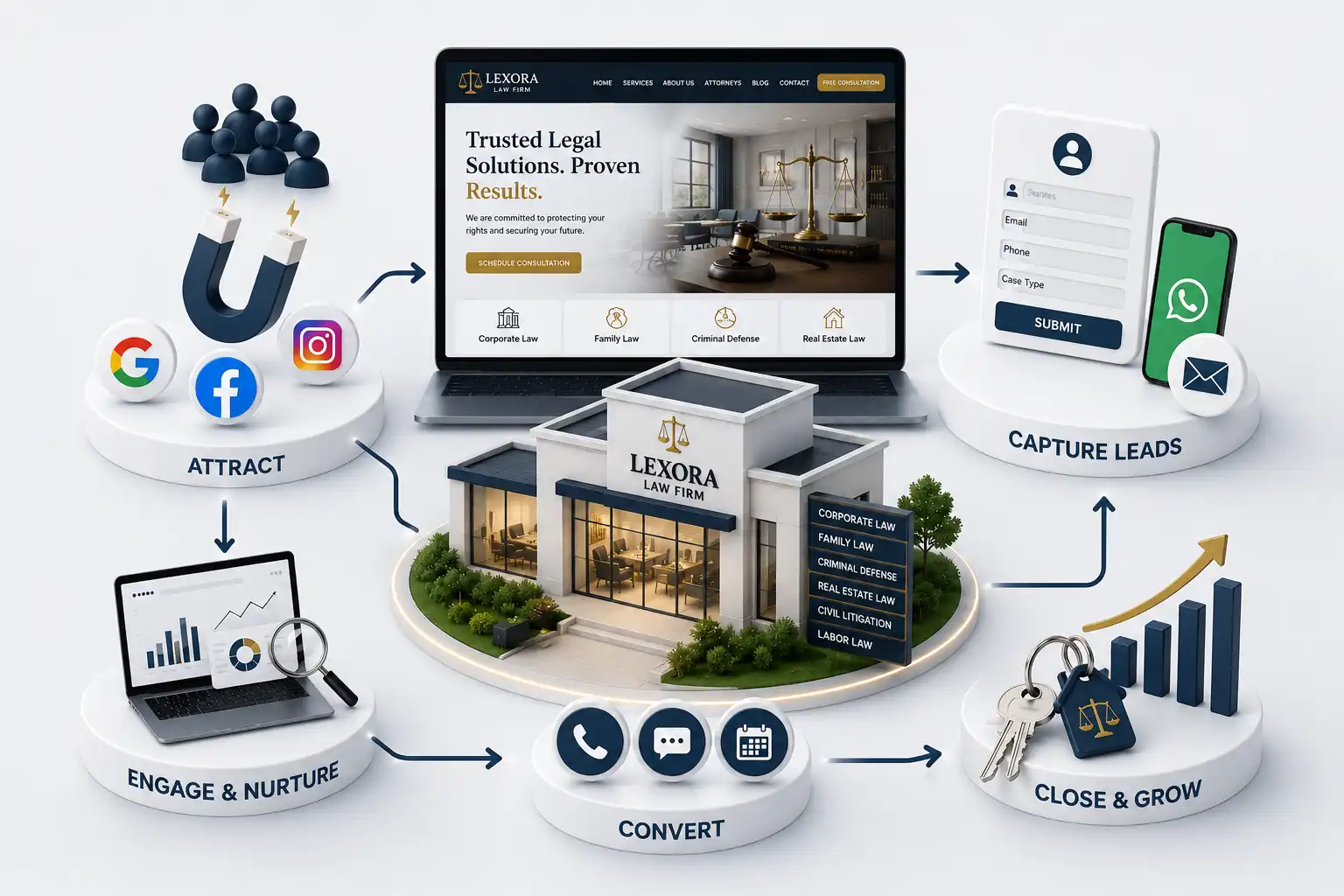
Law Firm Website Features That Convert Clients (2026 Guide)
Prioritize law firm website features that convert clients: practice pages, attorney profiles, intake forms, trust signals, and a clear mobile CTA hierarchy. This 2026 guide explains which law firm website features that convert clients deserve budget first: practice pages, attorney profiles, intake forms, trust signals, and mobile CTA hierarchy. You will see how to structure those features, what to measure, and how to phase delivery without inventing legal advice on the page. Ranges and examples are website strategy only—not legal advice, outcome guarantees, or promises about case results.
Many law firm websites look polished yet fail at the moment a prospective client decides to reach out. Homepages showcase slogan-level brand language, practice menus bury relevant services three clicks deep, attorney pages read like static resumes, and intake forms ask for more detail than a stressed visitor will type on a phone. Firms then blame marketing spend or directory competition when the real gap is feature priority: the site never made the next step obvious, trustworthy, and fast. Prospective clients compare firms under time pressure—often after an arrest, injury, notice, or corporate deadline. They scan for fit, credibility, and a low-friction way to start a conversation. Website features that convert clients are not decorative modules; they are the practical paths that turn research into a booked consult or a completed intake. Weak practice pages, thin profiles, buried CTAs, or broken mobile forms quietly discard demand the firm already paid to attract through referrals, ads, or organic search.
This 2026 guide explains which law firm website features that convert clients deserve budget first: practice pages, attorney profiles, intake forms, trust signals, and mobile CTA hierarchy. You will see how to structure those features, what to measure, and how to phase delivery without inventing legal advice on the page. Ranges and examples are website strategy only—not legal advice, outcome guarantees, or promises about case results.
It is written for managing partners, marketing partners, firm administrators, intake coordinators, and agencies planning a new site or redesign. Solo practitioners, boutiques, and multi-office firms can adapt the same priority order. The focus is universal web strategy for professional services websites, not jurisdiction-specific counsel or advertising ethics opinions—those remain the firm’s responsibility with qualified advisors.
Start with visitor jobs, not a vendor feature list
Conversion-minded law firm websites begin with the jobs a visitor must complete before contacting the firm. Typical jobs include confirming the firm handles their matter type, identifying a relevant attorney or team, judging credibility through reviews and associations, understanding office location and response expectations, and submitting enough context for intake to reply responsibly. Features only earn a place when they accelerate one of those jobs. A video background, animated counter, or bloated megamenu rarely helps a parent searching for family counsel at midnight.
Capture those jobs in a one-page brief shared with partners and intake before design comps start. Note which practices drive revenue, which offices handle walk-ins versus remote consults, and which channels currently produce the strongest matters. That brief becomes the filter for every proposed module. If a feature does not support finding a practice, trusting an attorney, or completing intake on mobile, it waits for a later phase—even if competitors display it prominently.
Build practice pages that qualify and convert
Practice area pages are usually the highest-intent entry points after branded searches. Each major practice should have its own page with a clear audience statement, matter types the firm accepts, what visitors should prepare before a consult, and a primary CTA that matches intake capacity. Avoid cloning the same three paragraphs across every practice with only the service name swapped. Unique entity coverage—statutes referenced at a high level, typical process stages, and related resources—helps visitors self-select and helps search systems understand topical depth. Keep claims factual and avoid promising outcomes.
Structure practice pages so conversion actions appear early and again after proof. Above the fold, state who the page is for and offer a consult or call path. Mid-page, explain process and fit criteria. Near the end, answer frequent objections and repeat the CTA. Link related practices carefully so a visitor researching employment issues can reach litigation or corporate pages without losing context. Internal links should feel editorial, not automated footer spam.
One primary practice page per service the firm actively markets
Unique intro, FAQ set, and proof blocks per practice
Explicit next step: call, consult form, or scheduled intake
Links to relevant attorney profiles who handle that practice
Office or jurisdiction notes when they change availability
Disclaimers that content is informational, not legal advice
Design attorney profiles that reduce contact friction
Attorney profiles convert when they answer three questions quickly: Is this person relevant to my matter? Do they appear credible? How do I start a conversation without guessing? Lead with practice focus and languages spoken, then education, admissions, and associations. Include a short narrative of how they work with clients—response norms, team involvement, and what a first consult typically covers—without dramatizing past cases. Where ethics rules restrict result advertising, use process descriptions and peer credentials instead of outcome boasts.
Every profile should expose the same conversion pattern: primary CTA, secondary contact option, and links back to the practices the attorney actually serves. Photo quality and accessibility matter; provide meaningful alt text and avoid text trapped in images. If the firm uses intake rather than direct attorney email, say so clearly so visitors are not disappointed when a form routes to a coordinator. Consistency across profiles also makes multi-attorney firms easier to maintain in a CMS.
Attorney profile conversion blocks
Block
Visitor job
Conversion role
Focus summary
Confirm matter fit
Reduces wrong-practice contacts
Credentials strip
Judge credibility
Supports trust before form fill
Practice links
Explore related services
Keeps research on-site
CTA pair
Start intake
Captures intent while interest is high
Office notes
Plan logistics
Sets expectations for response and location
Ship intake forms built for mobile completion
Intake is where conversion succeeds or fails. Long desktop-designed questionnaires create abandonment on phones. Start with a short path: name, contact method, matter type, urgency, and a free-text summary. Optional fields for opposing parties or document uploads can appear after the first submission or on a confirmation step. Validate emails and phones gently, show privacy expectations near the submit button, and confirm what happens next—who replies, typical timing, and that submitting does not create an attorney-client relationship until the firm accepts the matter.
Route submissions by practice and office so coordinators are not manually sorting every lead. Integrate with the firm’s preferred inbox, CRM, or practice management tool only when staff can support the workflow daily. Test failure states: offline networks, partial fills, and spam protection that blocks real people. Accessibility is part of conversion—labels, error messages, and keyboard reachability keep forms usable for more visitors and reduce support tickets.
Need a conversion-focused law firm website?
Share your practices, intake process, and office structure for a consultation on features that support qualified client contact.
Place trust signals near decisions, not only in footers
Trust signals convert when they appear at the moment of doubt: beside a CTA, under a practice claim, or on an attorney page after credentials. Useful signals include verified reviews with context, association memberships the firm can substantiate, media mentions with links, and clear office identity that matches public profiles. Avoid inventing badges or implying results the firm cannot support under advertising rules. When using testimonials, follow jurisdiction guidelines and obtain permissions; prefer process and service quality language over outcome guarantees.
Keep public business details aligned with your Google Business Profile guidance so name, address, phone, and categories match the website. Inconsistency between the site and profile undermines trust signals visitors already saw in search.
Technical trust also matters. Fast pages, working HTTPS, visible privacy notices, and accessible navigation signal operational maturity. Slow, broken, or cluttered sites make even strong credentials feel unreliable. Budget performance work as part of conversion, not as a post-launch patch—especially on image-heavy attorney galleries and practice heroes.
Define a mobile CTA hierarchy that matches intake capacity
On mobile, competing buttons create hesitation. Establish a hierarchy: primary action (consult request or call during business hours), secondary action (email or message), and tertiary navigation to practices or profiles. Sticky bars can help if they do not cover content or trap focus. After hours, change the primary label to set expectation—“Request a callback” rather than “Call now” if phones are unattended. Track which CTA produces complete intakes versus missed calls so partners can adjust staffing, not only design.
Pick one primary CTA per template and keep its label consistent across practices
Show phone prominently only when someone answers or a reliable voicemail process exists
Place a second CTA after proof sections for visitors who scroll before deciding
Test thumb reach, contrast, and sticky bar overlap on real devices
Measure tap-to-submit and call-connect rates separately by practice
“Law firm website features convert when practice clarity, attorney credibility, and intake usability share one mobile path—not when every page invents a new button style.”
Prioritize, measure, and phase features without rework
Ship a conversion foundation first: accurate practice pages, complete attorney profiles for marketed lawyers, a short mobile intake path, trust blocks near CTAs, and a documented mobile hierarchy. Add calendaring, chat, client portals, or multimedia only when the foundation is stable and staff can support the new channel. Each phase needs acceptance tests—sample matters, spam attempts, accessibility checks, and analytics events for form starts, submissions, and calls.
Prioritize practice pages that match search intent, attorney profiles with clear next steps, a short mobile intake form, trust signals placed near CTAs, and a deliberate mobile CTA hierarchy. Decorative modules can wait until those paths work reliably.
Publish one substantial page for each practice the firm actively markets and can staff. Thin pages for unused services dilute trust and create intake noise. Expand only when content owners and attorneys can maintain accuracy.
Include focus areas, credentials, admissions, associations, a concise working style note, links to relevant practices, accessibility-friendly media, and a consistent CTA into intake. Avoid unverifiable outcome claims where ethics rules restrict them.
Start with the minimum fields intake needs to reply safely: contact details, matter type, urgency, and a short summary. Add sensitive or lengthy fields after first contact when appropriate. Measure mobile completion before expanding the form.
Place reviews, associations, and identity proof near CTAs and under major claims on practice and attorney pages. Footer logos alone rarely convert hesitant visitors who decide mid-page.
Only if someone answers or voicemail is monitored with a clear callback process. Otherwise prefer a consult request that sets timing expectations. Track both call and form performance by practice before locking the hierarchy.
Chat can help when trained staff or vetted assistants respond quickly during posted hours. Unmonitored chat that promises instant legal answers often harms trust. Phase chat after core intake works and staffing is defined.
Define events for CTA taps, form starts, form submissions, call clicks, and consult bookings. Review completion by device and practice weekly with intake. Optimize features that move qualified contacts, not vanity metrics alone.
Yes. Clarifying practice architecture, shortening forms, fixing mobile CTAs, and relocating trust proof often outperforms adding new tools. Audit the current path before funding net-new modules.
Google Ads can fill the phone this week. A strong law firm website builds trust, compounds organic demand, and stops paid traffic from bouncing. Here is how to choose—and when to use both.
A practical 2026 law firm website design guide covering trust, practice architecture, mobile consultation paths, accessibility, and durable content operations.
Build a law firm consultation booking path that qualifies enquiries, sets expectations, supports scheduling, and reduces missed appointments without giving legal advice.
Plan law firm website development cost in India by practice scope, attorney profiles, intake workflows, redesign depth, SEO, timeline, and phased maintenance.
Law firm websites with practice areas, attorney profiles, and enquiry flows that convert visitors into client consultations. Available for firms across major Indian cities. Every page is planned for stronger search visibility, faster performance, clearer customer journeys, and measurable enquiries.
My Perfect Solutions helps brokers, clinics, restaurants, and growing brands launch fast, SEO-ready websites that turn search traffic into qualified enquiries across India.