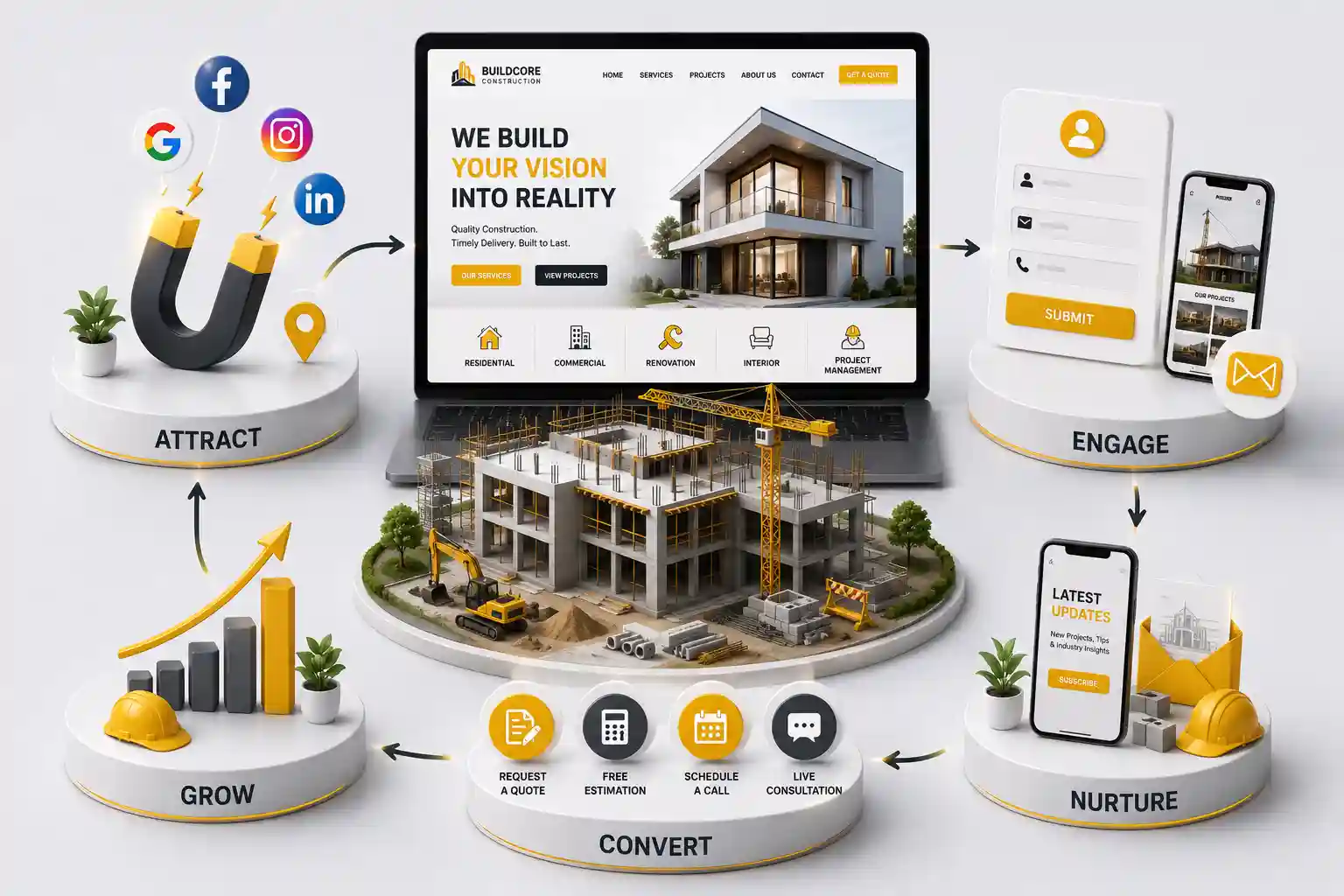
Why Construction Website Bangalore Firms Need Interactive Project Showcases (2026)
Give Bengaluru construction companies interactive project showcases—filters, walkthroughs, and enquiry paths—that match a premium, fast moving, corporate digital market. This guide covers interactive showcase patterns, performance trade-offs, sector storytelling, in-context capture, measurement, and how this differs from a simple ongoing-launch landing page for a single project.
Bengaluru construction and fit-out firms still publish static galleries that feel like 2018 brochures. Tech and corporate clients comparing vendors expect interactive filters, clear sector proof, and instant enquiry—especially when shortlisting for Whitefield or Electronic City work under tight procurement timelines. An interactive construction website Bangalore decision-makers can explore shortens prequalification and signals the premium delivery culture the city market rewards, letting corporate buyers do their own comparison research before a call instead of waiting on a sales team to email a static deck.
This guide covers interactive showcase patterns, performance trade-offs, sector storytelling, in-context capture, measurement, and how this differs from a simple ongoing-launch landing page for a single project.
For Bengaluru contractors, interior firms, and EPC marketers investing in a premium digital presence for corporate procurement teams—not only a basic contact form.
Why Bengaluru buyers expect interactive showcases
Corporate and GC stakeholders are used to product-grade digital tools. A flat grid of unnamed photos feels out of sync with the quality you claim on site. Interactive filters by sector, location, and scope help them find comparable work in seconds—and leave an enquiry while intent is high, rather than closing the tab to keep comparing three other vendors who made that first ninety seconds easier.
This is different from a single residential launch page. Here the job is portfolio exploration across many completed and live projects, with storytelling depth for premium bids.
A facilities director shortlisting fit-out contractors for a new Whitefield campus rarely commits to one vendor from a single case study. They open several portfolio pages in parallel tabs, filter for projects at a similar scale, and check whether the contractor has handled the specific mix of MEP coordination, phased handover, and occupied-building work their project needs. A static PDF portfolio emailed on request cannot support that kind of side-by-side evaluation—by the time it arrives, the buyer has often already narrowed the shortlist using whichever websites let them explore in real time.
The bar is set by adjacent industries, not by other contractors. Bengaluru buyers who evaluate SaaS tools, interior design studios, or architecture firms online every week bring those same expectations to a construction vendor search. A portfolio that loads slowly, mixes unrelated project types in one undifferentiated grid, or hides scope and outcome behind a contact form reads as dated regardless of how strong the underlying work actually is.
Interactive patterns that work in 2026
Filter by sector, city corridor, and project scale
Project detail pages with scope, role, and outcomes you can defend
Optional walkthrough video or 3D behind a progressive load
Map pins for multi-site portfolios
Related projects to keep exploration going
Build the filter taxonomy from how your own sales team already describes work internally, not from generic categories borrowed off a template site. A firm running both IT campus fit-outs and hospitality builds might filter by sector, then by scale (small format retail versus large campus), then by service scope (structural shell versus full turnkey). Whatever taxonomy you choose, keep it small enough to maintain honestly—three overlapping filter dimensions with accurate tags on every project beat six dimensions where half the projects are left untagged because nobody had time to classify them.
Each project detail page earns its place in the showcase by answering the questions a buyer would ask on a call anyway: what was the scope, what role did your firm play (general contractor, subcontractor, design-and-build), what was the timeline versus the original plan, and what made the project genuinely difficult. Skip invented superlatives like industry-leading or state-of-the-art unless you can point to a specific, verifiable reason for the claim. A precise sentence about coordinating six trades across a live, occupied floor during a phased handover carries more weight with an experienced GC evaluator than any generic marketing adjective.
Heavy WebGL experiences that delay the enquiry button lose mobile RFQs. Use posters first, stream media on intent, and keep Core Web Vitals in budget. A fast, reliable mid-weight showcase consistently beats a spectacular demo that drops half your traffic before the enquiry form even loads.
Test the showcase on the connection your actual buyers use, not just office fibre. A facilities manager checking a fit-out portfolio between site visits is often on 4G with a locked screen orientation and a browser tab they will abandon after a few seconds of a spinning loader. Serve a compressed poster image immediately, load the 3D or video walkthrough only when the visitor explicitly requests it, and never let a hero animation block the enquiry button from rendering. A showcase that feels instant on a mid-range phone will out-convert a heavier one that looks better only in a demo on your own laptop.
Set a simple performance budget before development starts: a maximum page weight for the initial view, a target time for the enquiry CTA to become interactive, and a rule that no single asset—image, video, or 3D model—loads without explicit user action. Revisit that budget every time a new project's media gets added, since a single unoptimised drone video can quietly undo months of careful performance work if nobody checks it before publishing.
Sector storytelling for IT, hospitality, and residential
IT campus work emphasises phasing and safety. Hospitality emphasises finish quality. Residential emphasises trust and timelines. Tag projects honestly so filters do not mix incompatible proof.
An IT campus case study should lead with how the team sequenced work around live occupancy, safety compliance during construction near operating offices, and coordination across multiple trades on a fixed corporate deadline—the details a facilities or workplace strategy lead actually cares about. A hospitality project should lead with finish quality, material selection, and how snag lists were closed before opening day, since a hotel or restaurant operator is judging craftsmanship, not phasing logistics. A residential project for a Bengaluru buyer should lead with timeline reliability and transparent communication during construction, since delayed handovers are the single biggest fear driving that search. Writing all three case studies with the same template produces the generic-sounding proof that a premium buyer skims past.
When a facilities lead views a Whitefield fit-out case study, the CTA should prefill that project type. Generic “contact us” hubs lose context. Route industrial RFQs differently from interior enquiries.
In-context capture also means asking for the right amount of detail at the right moment. A visitor deep in a specific project's detail page has already shown strong intent, so a short enquiry form asking for project type, approximate scope, and timeline is appropriate there. A visitor who just landed on the showcase homepage has not yet earned that level of commitment; a lighter newsletter or brochure-download option suits that stage better. Matching the ask to the visitor's stage in the exploration journey keeps conversion rates honest instead of scaring off early-stage browsers with a long qualification form.
Building an interactive construction website in Bengaluru?
Design filterable showcases and enquiry paths that match how premium buyers shortlist vendors.
Measure exploration quality and RFQs
Track filter usage, project detail engagement, enquiry starts, and accepted RFQs. If users explore but never enquire, fix CTA placement. If they enquire without comparable projects, improve filters and tagging.
Break these numbers down carefully by sector rather than reading one blended conversion rate. A showcase might convert well for hospitality projects but poorly for industrial ones, either because the industrial case studies are thinner or because industrial buyers need a different proof point—certifications, safety record, or specific equipment experience—that the current template does not surface. Segmenting the data by sector usually reveals where to invest the next round of content work instead of guessing which part of the showcase needs attention.
Ninety day plan toward an interactive showcase
Audit and tag existing project assets by sector and corridor
Ship filterable grid plus five deep case studies
Add in-context enquiry with CRM routing
Progressively enhance video or 3D behind performance budgets
Review analytics monthly; expand tags that convert
Conclusion: earn premium bids with premium exploration
Bengaluru’s construction market rewards clarity and polish online. Interactive project showcases help serious buyers self-serve proof and enquire with context—if performance and honesty stay non-negotiable.
None of this requires a launch-day rebuild of the entire portfolio. Start with the sector and project mix that currently wins you the most valuable bids, ship a filterable grid and a handful of genuinely detailed case studies for that segment, and measure whether enquiry quality improves before expanding coverage. A showcase that grows deliberately, sector by sector, with accurate tagging and honest project detail, will outlast a one-time redesign that looks impressive at launch but goes stale within a year because nobody owns keeping it current.
Give Pune builders a project showcase website that presents ongoing work, MahaRERA-aligned disclosure, and site-visit forms that turn browsers into buyer enquiries.
A practical construction company website Mumbai guide covering RFQ forms, project proof, safety credentials, and mobile-first quote flows that turn site visitors into bid invitations.
Plan a construction website budget through scope, phased delivery, RFQ complexity, content readiness, maintenance, timelines, and comparable vendor proposals.
Explore Construction Web Development for India. Every page is planned for stronger search visibility, faster performance, clearer customer journeys, and measurable enquiries.
My Perfect Solutions helps brokers, clinics, restaurants, and growing brands launch fast, SEO-ready websites that turn search traffic into qualified enquiries across India.