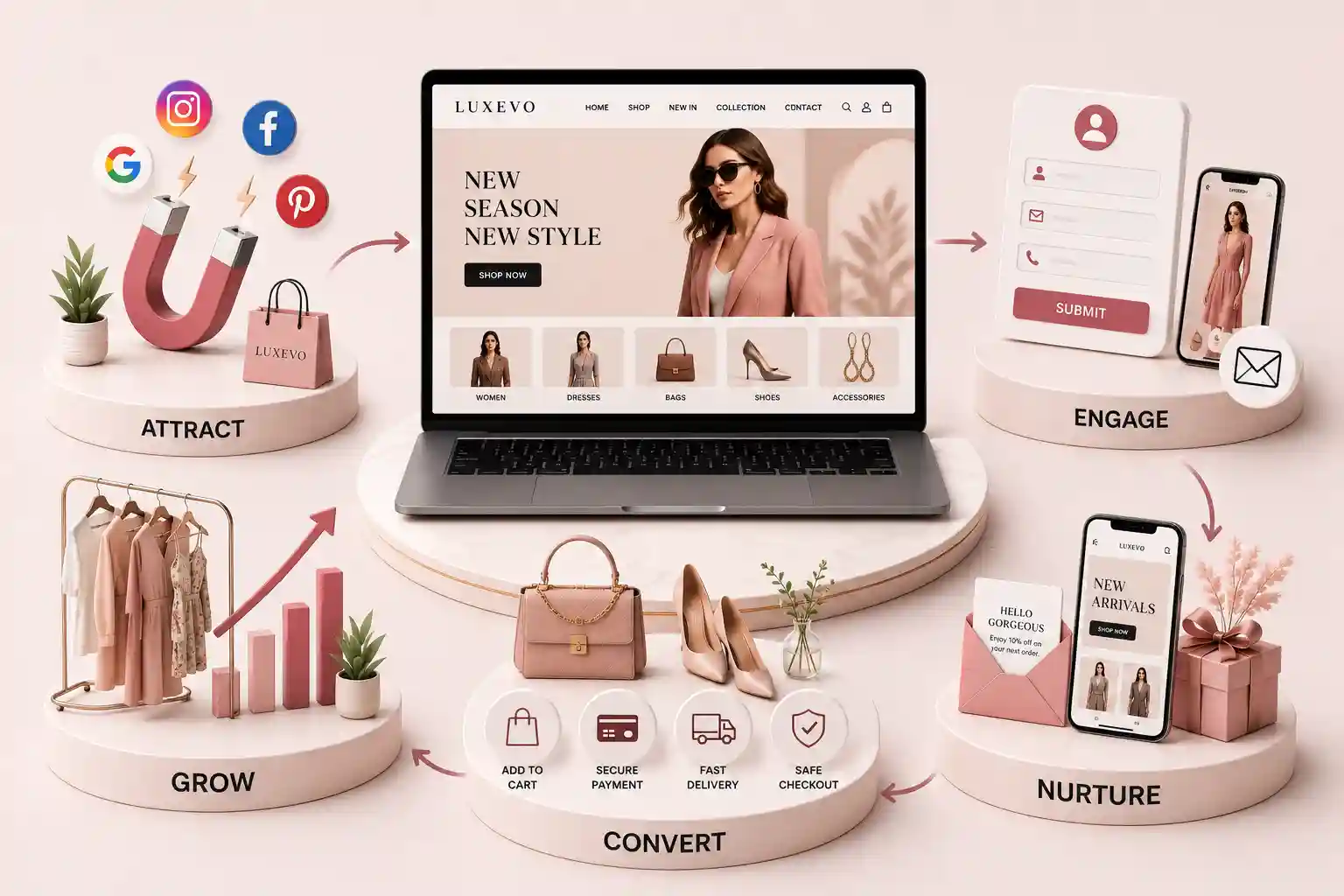
Coordinate lookbooks, collection pages, merchandising, prelaunch QA, campaign assets, analytics, and post-launch iteration for a calmer fashion release. This fashion ecommerce collection launch checklist explains how to establish the launch brief, shape a useful lookbook, build and merchandise collection pages, prepare product data, run prelaunch quality assurance, connect campaign destinations, and measure the release. It includes ownership questions, sample acceptance checks, and practical scenarios. The examples are planning patterns rather than promises of revenue, traffic, or ranking outcomes.
A fashion collection can be complete in the studio and still be unready for ecommerce. Product names may differ between the buying sheet and website, campaign photography may arrive without mobile crops, or a lookbook may feature an item whose variants are not available. Teams then spend launch morning correcting links, replacing images, changing prices, and answering avoidable customer questions. The problem is rarely one missing task. It is the absence of a shared definition of launch-ready across creative, merchandising, operations, marketing, and technology. A release concentrates attention into a short period. Visitors move from social posts, email, search, and press coverage to collection landing pages and product detail pages. Every handoff needs to preserve the same story and accurate commercial information. A polished campaign cannot compensate for unclear sizing, broken filters, unavailable variants, or a checkout surprise. Equally, a technically sound catalogue can feel flat when sequencing, styling context, and editorial direction are missing. Coordinating these layers protects customer understanding and gives the team cleaner evidence after launch.
This fashion ecommerce collection launch checklist explains how to establish the launch brief, shape a useful lookbook, build and merchandise collection pages, prepare product data, run prelaunch quality assurance, connect campaign destinations, and measure the release. It includes ownership questions, sample acceptance checks, and practical scenarios. The examples are planning patterns rather than promises of revenue, traffic, or ranking outcomes.
It is for fashion founders, ecommerce managers, merchandisers, creative producers, marketers, developers, and agency partners preparing a seasonal drop, capsule, collaboration, or permanent range. Small teams can combine roles, but should still name the person making each final decision.
Establish one launch brief and source of truth
Begin with a brief that names the collection, audience, launch moment, sales regions, channels, commercial rules, and owners. Record which products are included, which are intentionally excluded, and what must happen if an item misses the cut-off. A launch date without a content freeze, stock decision, and approval deadline is only an aspiration.
Assign decisions, not just tasks
A task can have several contributors but needs one approver. Creative owns the visual narrative; merchandising approves assortment and ordering; operations confirms sellable stock; marketing approves channel messages; and the product or development owner accepts website behaviour. Write an escalation route for disagreements and late assets. This avoids silent assumptions becoming customer-facing errors.
Minimum launch-control sheet
Area
Decision to lock
Evidence before release
Assortment
Included SKUs and variants
Approved product matrix
Commercial
Price, tax, offer, and region
Signed-off rule sheet
Creative
Final images, video, and copy
Asset manifest
Inventory
Sellable quantity and status
Operations confirmation
Website
URLs, templates, and navigation
Accepted staging build
Campaign
Channel timing and destination
Launch calendar
Design a lookbook that remains shoppable
A lookbook communicates mood, styling, proportion, and combinations that isolated pack shots cannot. Its ecommerce job is also to help a visitor identify the garments and move toward reliable product information. Each featured style should connect to the correct item or a clearly labelled collection view. Avoid invisible hotspots that work only when someone guesses where to tap.
Connect editorial scenes to product facts
Give each scene a concise styling note, meaningful image alternative, and visible product references. On mobile, preserve a comfortable reading order and place linked products near their scene rather than below a very long gallery. If a photographed accessory is not sold, do not imply that it is included. If a style launches later, label that timing or omit its purchase action.
Confirm every featured product name and link against the final catalogue
Prepare desktop and mobile crops without hiding garment details
Compress media while retaining texture, colour, and silhouette
Use keyboard-operable controls and visible labels for interactive galleries
Explain styled bundles without suggesting all pieces are one product
Provide a useful path when a featured item becomes unavailable
Illustrative scenario: a campaign image shows a jacket, trouser, and borrowed footwear. The scene lists the two sellable garments beside the image and marks the footwear as styling only. Selecting the jacket opens its product page with the same colour preselected. When that colour is unavailable, the link still leads to the jacket and clearly presents other available options rather than failing.
Build the collection landing page around intent
A collection page must orient a first-time campaign visitor and support a returning shopper who wants to browse quickly. Lead with a precise collection name, short proposition, suitable hero, and immediate route into products. Long cinematic introductions can delay shopping, especially on mobile connections. Keep essential context visible without forcing everyone through an editorial sequence.
Plan a deliberate page sequence
Sequence products according to the collection story and current commercial priorities, then check that the order remains coherent as stock changes. Filters should reflect meaningful attributes such as category, size, colour, fit, or material only when the underlying data is dependable. Curated groups like occasion edits can help, but they should not bury a visitor's ability to see the complete range.
State the collection idea in plain language
Show representative imagery with an obvious route to products
Place available products in an intentional initial order
Offer filters and sorting supported by clean catalogue attributes
Add styling or craft context near the relevant products
Provide helpful empty and no-result states
Retain navigation to broader categories and customer support
“A launch page should express the collection and still let a visitor answer the ordinary shopping questions quickly.”
Prepare product records and merchandising rules
Create a product readiness matrix rather than reviewing items from memory. For each SKU, verify the customer-facing name, description, category, price, tax treatment, sizes, colours, material, care, measurements, fit guidance, imagery, stock status, delivery constraints, and return information. Check structured attributes as carefully as visible copy because they drive filters, feeds, recommendations, and reporting.
Treat product feeds as another storefront
Advertising and discovery surfaces may apply their own product-data requirements. Review the Google Merchant Center product data specification guidance and validate the actual feed before launch. A correct website page does not guarantee that identifiers, availability, price, image URLs, or variants are represented correctly elsewhere.
Product and merchandising acceptance checks
Check
Question
Typical owner
Variant
Do selectable sizes map to the intended SKU?
Ecommerce
Price
Do page, cart, and approved feed agree?
Commercial
Media
Does each colour show the correct images?
Creative
Fit
Can shoppers interpret measurements and guidance?
Merchandising
Availability
Is the displayed status supported by stock rules?
Operations
Related items
Are recommendations available and genuinely relevant?
Merchandising
Need a launch-ready fashion storefront?
Map collection storytelling, catalogue structure, campaign destinations, performance, and release QA around your team's real workflow.
Run prelaunch QA across complete journeys
Quality assurance should use the release candidate, representative devices, realistic accounts, and controlled test orders where the system permits them. Test more than visual polish. Start from a campaign link, browse the collection, apply filters, open a product, change variants, add and remove items, use a promotion if applicable, estimate delivery, complete checkout, receive messages, and exercise cancellation or return information.
Include exception paths and late change checks
Test a missing image, unavailable size, invalid promotion, failed search, empty filter result, changed price, declined payment, and interrupted session. Verify analytics without placing unnecessary personal information in events. After any late catalogue or template edit, rerun the affected journey and a short regression set. A successful staging review does not cover an untested production configuration.
Check current mobile browsers, keyboard navigation, focus, zoom, and contrast
Review URLs, titles, descriptions, headings, canonical choices, and social previews
Confirm product, cart, checkout, email, and feed price consistency
Test search, filters, pagination or loading, and no-result guidance
Review image dimensions, responsive delivery, layout stability, and video controls
Verify consent behaviour, approved analytics events, and campaign parameters
Record severity, owner, decision, fix, and retest evidence for every issue
Coordinate campaigns, destinations, and launch day
Build a channel matrix containing message, audience, asset, owner, send time, destination URL, tracking convention, approval, and fallback. Preview email, paid social, organic social, creator, messaging, and homepage placements in their real formats. A beautiful desktop asset may crop away the garment or headline in a vertical placement. Each destination should match the promise that brought the visitor there.
Prepare a small launch control room
Name the people watching website health, orders, stock exceptions, customer questions, campaign delivery, and approvals. Provide one issue channel and a simple severity model. Decide in advance who can pause a campaign, hide a product, correct a price, or replace an asset. This is operational clarity, not an expectation that every release needs a large team.
Capture a prelaunch baseline and annotate the release time, campaign sends, stock changes, outages, and major edits. Useful signals include destination sessions, collection-to-product movement, filter use, product engagement, add-to-cart progression, checkout progression, search terms, no-result states, returns questions, performance data, and support themes. Revenue alone cannot explain why the journey behaved as it did.
Turn observations into bounded changes
Separate technical defects, content gaps, stock effects, campaign mismatch, and hypotheses that need testing. For example, low engagement on a hero may reflect slow media, weak relevance, or visitors immediately using navigation. Inspect several sources before redesigning it. Prioritise corrections that improve accuracy and access, then test discretionary merchandising changes one at a time where practical.
Begin when the assortment and campaign direction are stable enough to identify dependencies, not when every asset is finished. Work backwards from release through product-data freeze, photography delivery, page build, feed validation, campaign approval, QA, and contingency time. The appropriate lead time depends on range size, channels, integrations, and team capacity.
Include assortment and variant approval, prices, inventory status, product content, images, lookbook connections, collection-page merchandising, navigation, search and filters, feeds, campaign assets, destination URLs, tracking, accessibility, performance, checkout journeys, customer messages, support preparation, ownership, launch-day monitoring, and a post-launch review.
Not necessarily. A focused page helps when a release has a distinct story, campaign audience, or curated assortment. A normal category or new-arrivals view may be clearer for a small update. Choose the simplest destination that preserves campaign context and lets visitors reach accurate product information quickly.
Use visible, accessible product references placed near each scene. Confirm that every link, product name, colour, and availability state is correct. Explain non-sellable styling pieces and provide a graceful path when an item becomes unavailable. Do not rely solely on hover interactions or unlabelled image hotspots.
Check names, SKUs, variants, prices, tax treatment, stock status, categories, descriptions, materials, care, measurements, fit guidance, images, colour mapping, delivery constraints, return information, filters, search data, recommendations, structured data, and feed attributes. Review page, cart, checkout, campaign, and feed consistency.
Test campaign entry, collection browsing, search, filters, product galleries, variants, sizing content, cart, promotions, delivery information, checkout, messages, mobile and keyboard use, analytics, consent, feeds, social previews, performance, unavailable products, invalid inputs, interrupted sessions, and agreed recovery procedures.
Use a documented exception route. Record the requested change, reason, approver, affected pages and channels, owner, completion, and regression checks. Update the shared launch sheet and notify dependent teams. If the change cannot be tested safely, delaying the affected asset or product may be more responsible than improvising.
Review campaign arrivals, collection-to-product movement, search and filter behaviour, product engagement, cart and checkout progression, stock effects, no-result states, performance, customer questions, and returns themes. Compare against relevant baselines and annotate operational changes. No single metric proves the cause of an outcome.
Fix accuracy, access, and journey defects first. Reconcile campaign links and product states, review support and operations feedback, and distinguish technical issues from stock or audience effects. Then prioritise measured content and merchandising experiments. Record decisions so the next release improves the process rather than restarting it.
Instagram can fill your feed with interest and still leave the till quiet. See how a proper fashion website turns followers into orders with catalogue clarity, size help, and checkout that works.
Audit fashion product pages for useful galleries, specific copy, honest price and stock states, trust signals, structured data, and dependable mobile shopping.
Design clothing size guidance around clear measurements, honest fit context, accessible selectors and forms, useful filters, and resilient mobile behaviour.
Premium fashion eCommerce experiences with catalogs, collections, and checkout flows. Available for clothing brands and boutiques across major Indian cities. Every page is planned for stronger search visibility, faster performance, clearer customer journeys, and measurable enquiries.
My Perfect Solutions helps brokers, clinics, restaurants, and growing brands launch fast, SEO-ready websites that turn search traffic into qualified enquiries across India.