Real Estate Website Redesign Checklist: Signs, Process and Mistakes
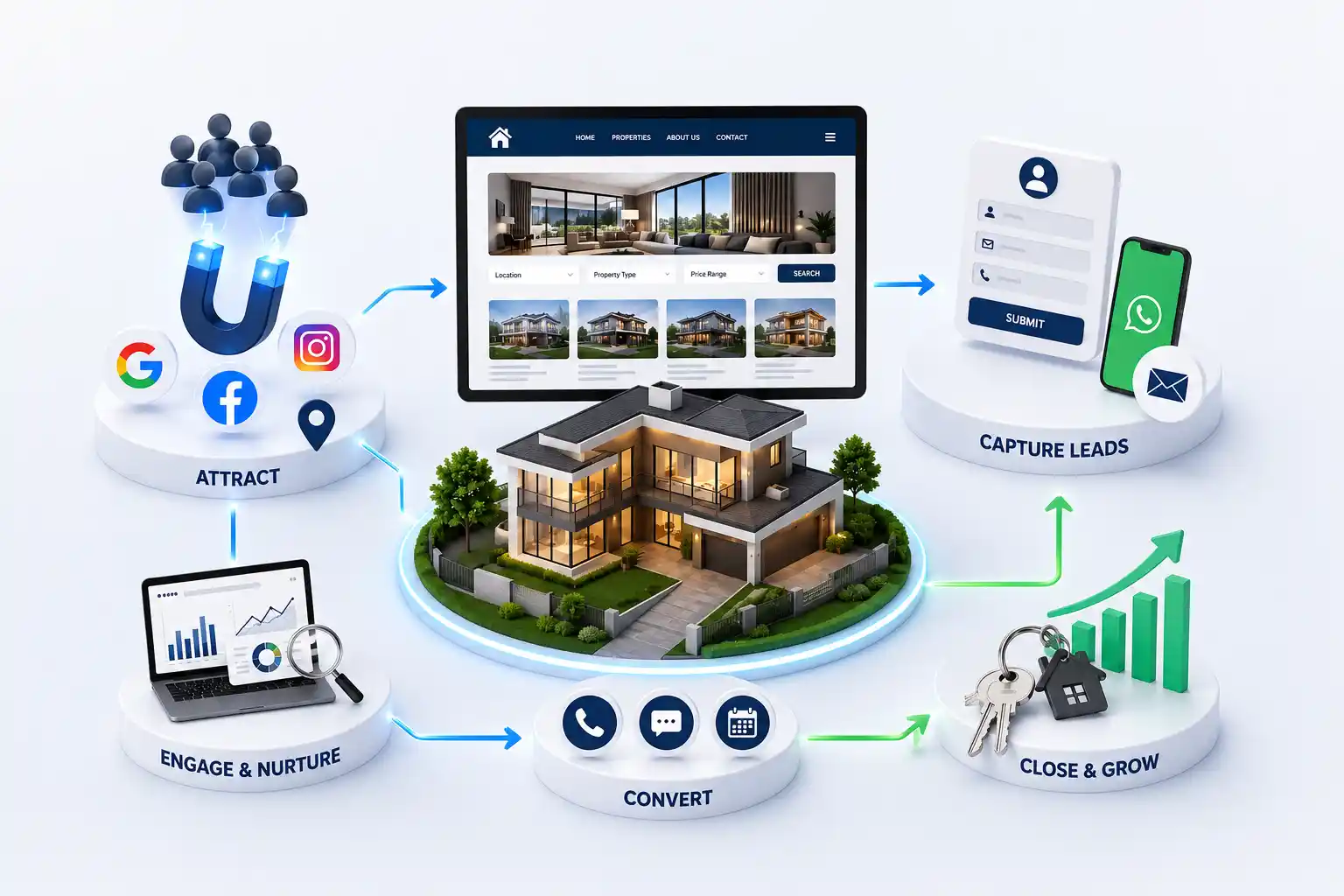
Use this practical redesign checklist to diagnose an outdated property website, preserve search visibility, improve buyer journeys, strengthen enquiry quality, and plan a controlled launch with fewer migration risks. This checklist helps you recognize when a redesign is justified, audit the current site, define measurable requirements, protect SEO, improve mobile conversion, migrate content, test launch readiness, and avoid the mistakes that create another redesign two years later.
Many property websites are redesigned because leadership is tired of the visual style. Yet a new colour treatment does not fix inaccurate listings, confusing filters, weak mobile actions, slow pages, lost enquiries, or a content system the marketing team avoids. A redesign changes URLs, templates, analytics, and operational habits at the same time. Without a disciplined process, the business can lose search visibility and lead data even while the new screens look better.
This checklist helps you recognize when a redesign is justified, audit the current site, define measurable requirements, protect SEO, improve mobile conversion, migrate content, test launch readiness, and avoid the mistakes that create another redesign two years later.
It is for real estate founders, marketing managers, developers, and brokerage teams responsible for an ageing website or underperforming property platform.
Signs your real estate website needs a redesign
Visual age is only one signal. Stronger evidence includes declining organic landing pages, slow mobile interaction, repeated buyer complaints, broken forms, duplicate listings, and a publishing process that requires a developer for routine changes. If campaigns send traffic to generic pages because project templates cannot support the offer, the site is limiting marketing rather than supporting it.
Sales teams reveal problems analytics may miss. Ask which website enquiries lack project context, what questions prospects repeat, and why agents send portal links instead of owned pages. Review the website on an average Android phone over mobile data. Try to filter inventory, open a floor plan, share a project, and contact an agent. Friction in these basic tasks is a practical redesign case.
Pages are slow or unstable on common mobile devices
Listings are difficult to search, update, or archive
Forms and WhatsApp messages omit project context
Organic traffic relies on a small number of old pages
The design does not communicate credibility or specialization
Analytics cannot connect enquiries with listings and campaigns
Routine content updates require risky manual work
Audit the current website before drawing new screens
Begin with a content and performance inventory. Export indexable URLs, search clicks, conversions, backlinks, page speed data, and enquiry events. Label each page keep, improve, merge, redirect, or remove. This prevents high-performing locality guides and campaign pages from disappearing simply because they were absent from the navigation.
Then inspect operations. Map how a listing moves from a developer or agent into the website, who approves details, how changes are communicated, and what happens to enquiries. A beautiful redesign built on the same unclear ownership will quickly accumulate stale prices and duplicate records. The audit should expose content, technology, sales, compliance, and governance problems, not only interface issues.
What to audit before a property website redesign
Area
Evidence to collect
Decision produced
SEO
URLs, clicks, backlinks, rankings
Keep and redirect map
Content
Accuracy, ownership, duplication
Migration inventory
UX
Task tests, recordings, search data
Priority journeys
Leads
Forms, calls, WhatsApp, response time
Routing requirements
Technology
Speed, security, dependencies
Architecture constraints
Set redesign goals and baselines
Replace broad goals such as improve engagement with observable outcomes. Examples include increasing qualified enquiries from project pages, reducing the time needed to publish a listing, improving mobile enquiry completion, and growing non-brand traffic to locality pages. Record current values before launch. Without a baseline, every later discussion becomes a matter of opinion.
Use balanced measures. A shorter enquiry form may increase submissions but reduce qualification, while a richer form may lower volume and improve site visits. Track completion, lead quality, response time, and downstream outcome together. Agree who owns each metric and when it will be reviewed. A redesign is an operating change, not a one-day visual release.
Rebuild the information architecture around buyers
Internal departments are rarely the best navigation model. Buyers arrive with intent around a city, locality, budget, configuration, property type, possession stage, or developer. The architecture should help them narrow choices without knowing your inventory terminology. Important landing pages need descriptive headings, useful context, and links into suitable listings instead of a thin grid generated from one filter.
Map the relationships among projects, units, locations, developers, agents, and editorial guides before choosing a content system. Stable structured data supports filters, breadcrumbs, schema, internal links, and future feeds. It also prevents the redesign team from creating separate manual pages for information that should be managed once and reused consistently.
“A successful redesign makes the inventory easier to understand for buyers and easier to govern for the team.”
Design property discovery and enquiry for mobile
Mobile-first does not mean shrinking desktop layouts. Search controls should fit the most common intent, cards must expose meaningful differences, galleries need deliberate image loading, and maps should not freeze scrolling. Persistent call or WhatsApp actions can help on detail pages, but they must not cover content or appear before the visitor understands what is being offered.
Keep enquiry forms concise and preserve listing context automatically. Use appropriate input types, clear error messages, and large touch targets. Test in sunlight, on slower networks, and with keyboard or screen-reader navigation. Accessibility improves the experience for every buyer and reduces the chance that decorative interaction blocks a high-intent prospect.
Outdated experience versus buyer-focused redesign
Task
Outdated pattern
Redesigned pattern
Search
Long filter form
Priority filters with clear results
Gallery
Heavy autoplay slider
Fast swipe gallery and plans
Contact
Generic footer form
Contextual call, WhatsApp, and form
Location
Address paragraph
Map plus useful neighbourhood cues
Trust
Claims without evidence
Specific credentials and proof
Plan content and listing migration
Migration is a chance to improve accuracy, not blindly copy the old database. Define required fields, valid values, image standards, naming rules, and owners. Clean locality spelling, normalize prices and configurations, remove expired inventory, and flag incomplete records. Run a sample through the new templates early so problems appear before the final week.
Editorial pages need the same care. Preserve original insights, useful FAQs, and media rights while updating outdated claims. Combine overlapping thin pages only when the new page satisfies their intent. Keep a migration ledger showing old URL, new URL, content owner, status, metadata, and redirect. This becomes the shared source of truth for marketing, development, and SEO.
Protect SEO during the redesign
Changing technology does not require changing every valuable URL. Preserve clean paths where possible. For unavoidable changes, create one-to-one permanent redirects and avoid sending unrelated pages to the home page. Carry over unique titles, headings, useful copy, canonical rules, structured data, internal links, and image alternatives. Confirm that staging remains blocked from indexing and production becomes crawlable at launch.
Before release, crawl both websites and compare status codes, canonicals, headings, indexability, and links. After release, submit the sitemap, inspect priority pages, watch coverage and performance reports, and repair redirect gaps promptly. Temporary ranking movement can occur, but preventable losses usually come from missing content, broken links, noindex tags, or careless URL changes.
Choose technology and integrations for the operating model
The right platform is the one the team can operate reliably while meeting performance, security, and growth needs. Define content roles, approval stages, inventory volume, search behaviour, multilingual needs, and expected integrations before selecting tools. A familiar content system may be sensible for a small brokerage; a larger network may need custom services and stricter permissions.
Document how forms, WhatsApp, calls, CRM records, email, analytics, and portal feeds interact. Include consent, deduplication, field mapping, ownership, and failure handling. Test with realistic data rather than one perfect sample. Integrations should shorten response time and preserve attribution; if they merely add dashboards nobody trusts, they have not improved the sales process.
Planning a property website revamp?
See how we structure faster listings, local SEO, and enquiry journeys for real estate teams.
A lower-risk redesign process
Start with discovery, audit, and measurable requirements. Next, approve information architecture and low-fidelity journeys before visual detail. Build a reusable design system and validate representative templates: home, search, project, locality, editorial article, and contact. Develop against real content, then integrate systems and migrate in controlled batches. Each stage should have acceptance criteria.
Include sales and content users throughout the project. Agents can test whether listing details answer real objections, while editors can expose workflow problems before launch. Weekly demonstrations keep decisions small. Avoid a long hidden build followed by one large approval meeting; late discoveries then become expensive choices between quality and deadline.
Audit content, SEO, analytics, technology, and sales workflow
Define outcomes, scope, owners, and acceptance criteria
Approve architecture, data model, and priority user journeys
Design and test representative responsive templates
Develop, integrate, and migrate using realistic records
Run quality assurance, training, launch, and monitoring
Pre-launch quality assurance checklist
Quality assurance should cover content, behaviour, performance, accessibility, SEO, security, and analytics. Test combinations of filters, empty states, long project names, missing images, archived listings, validation errors, duplicate submissions, and integration failure. Complete key journeys across current phones, tablets, and desktop browsers rather than checking only screenshots.
Prepare launch ownership before changing DNS. Confirm backups, rollback options, redirect files, monitoring, consent notices, email delivery, CRM routing, sitemap generation, and production credentials. Assign people to watch forms, crawl errors, speed, and user feedback during the first days. A controlled launch makes issues visible and recoverable instead of leaving them to customers.
All forms, call links, and WhatsApp messages preserve context
Priority pages meet agreed mobile performance targets
Redirects, canonicals, robots rules, and sitemap are verified
Analytics events and campaign attribution work in production
Listings, prices, plans, addresses, and contact details are approved
Editors and sales users have access, training, and documentation
Backups, monitoring, support contacts, and rollback are ready
Redesign mistakes that waste budget
The most common mistake is treating redesign as a visual competition. Oversized motion, video, and novelty navigation may impress in a presentation while slowing actual property research. Another is allowing every stakeholder to add homepage content without a shared hierarchy. The result is a longer page, not a clearer proposition.
Other costly errors include selecting technology before requirements, postponing content until development is complete, changing URLs without redirects, launching without analytics, and copying portal descriptions across projects. Avoiding these mistakes depends on governance more than creative talent. One product owner, explicit priorities, and documented decisions keep the redesign connected to business outcomes.
What to improve after launch
The first month is for stabilization and observation. Review search queries, filter usage, enquiry events, field errors, support messages, and CRM delivery. Fix blockers quickly, but do not redesign based on isolated comments. Compare behaviour by device and landing-page type. Buyers arriving on a locality guide may need a different path from visitors opening a named project.
Build a quarterly improvement rhythm for content, SEO, speed, and conversion. Refresh high-opportunity locality pages, test clearer actions, improve weak listing data, and archive stale projects. Revisit the original baseline after three and six months. A well-run redesign creates a platform for iteration; it should not remain frozen until the next emergency rebuild.
Conclusion: redesign the system, not only the surface
A real estate website redesign is worthwhile when it improves how buyers discover property, how teams maintain information, and how enquiries move into sales. Begin with evidence, preserve existing value, and make the mobile journey the standard. The best visual direction then supports clarity and trust instead of distracting from them.
Use the checklist to create a shared definition of success before inviting proposals. Audit, baseline, architecture, migration, SEO, integrations, quality assurance, and ongoing ownership all belong in the project. When these foundations are handled deliberately, the redesigned website can grow search visibility and qualified demand without repeating the weaknesses it replaced.
There is no fixed cycle. Redesign when evidence shows the site is limiting buyer tasks, content operations, performance, security, SEO, or enquiry handling. A maintained design system can evolve for years without a complete replacement.
Risk can be reduced substantially by preserving valuable content and URLs, mapping one-to-one redirects, retaining metadata and internal links, testing crawlability, and monitoring Search Console after launch. No responsible partner should promise zero fluctuation.
Only when the current brand genuinely conflicts with positioning or accessibility. A website can improve hierarchy, consistency, imagery, and usability without changing recognizable colours, typography, or identity.
A focused redesign may take eight to fourteen weeks, while content-heavy or integrated platforms can take several phased months. Audit quality, migration volume, approvals, and CRM or feed dependencies strongly affect the schedule.
Remove or merge content that is inaccurate, unsupported, duplicated, expired, or unable to satisfy a useful search or buyer intent. Check traffic and links first, and redirect removed URLs to the closest genuinely relevant destination.
Not automatically. Keep the current system if it can meet security, performance, structured listing, editing, permission, and integration requirements. Change platforms when documented constraints justify migration cost and risk.
Track qualified enquiries, conversion by template and device, response time, search visibility, mobile performance, listing freshness, and publishing effort. Use sales outcomes alongside engagement metrics so higher activity is not mistaken for higher lead quality.
Smaller websites can launch together after thorough testing. Complex platforms often benefit from phased functionality or controlled migration. The release plan must still protect URLs, analytics, data consistency, and a coherent buyer journey.
Include one accountable product owner plus representatives from marketing, sales, content, technology, and leadership when required. Buyers or agents should test priority journeys. Keep approval responsibility clear to avoid contradictory late feedback.
Verify enquiries and integrations, crawl the live site, inspect priority URLs, monitor errors and speed, confirm analytics, and gather structured user feedback. Address blockers quickly, then move into a measured monthly improvement cycle.
Plan a practical real estate CRM integration that captures enquiry context, assigns the right agent, supports timely follow up, and gives managers reliable pipeline visibility.
Property listing websites with search, lead capture, and broker ready tools. Available for agencies and builders across major Indian cities. Every page is planned for stronger search visibility, faster performance, clearer customer journeys, and measurable enquiries.
My Perfect Solutions helps brokers, clinics, restaurants, and growing brands launch fast, SEO-ready websites that turn search traffic into qualified enquiries across India.